
Descripción
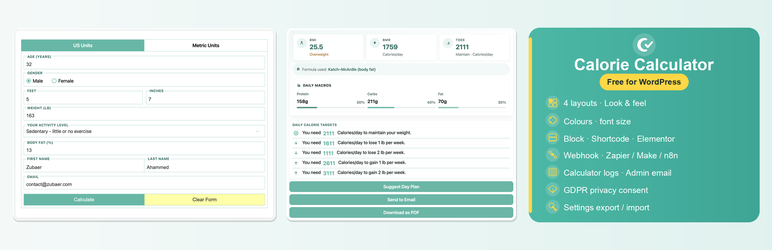
GDPR-ready: Optional privacy consent before storing calculator logs — turn it on under Behaviour, with a customisable consent label.
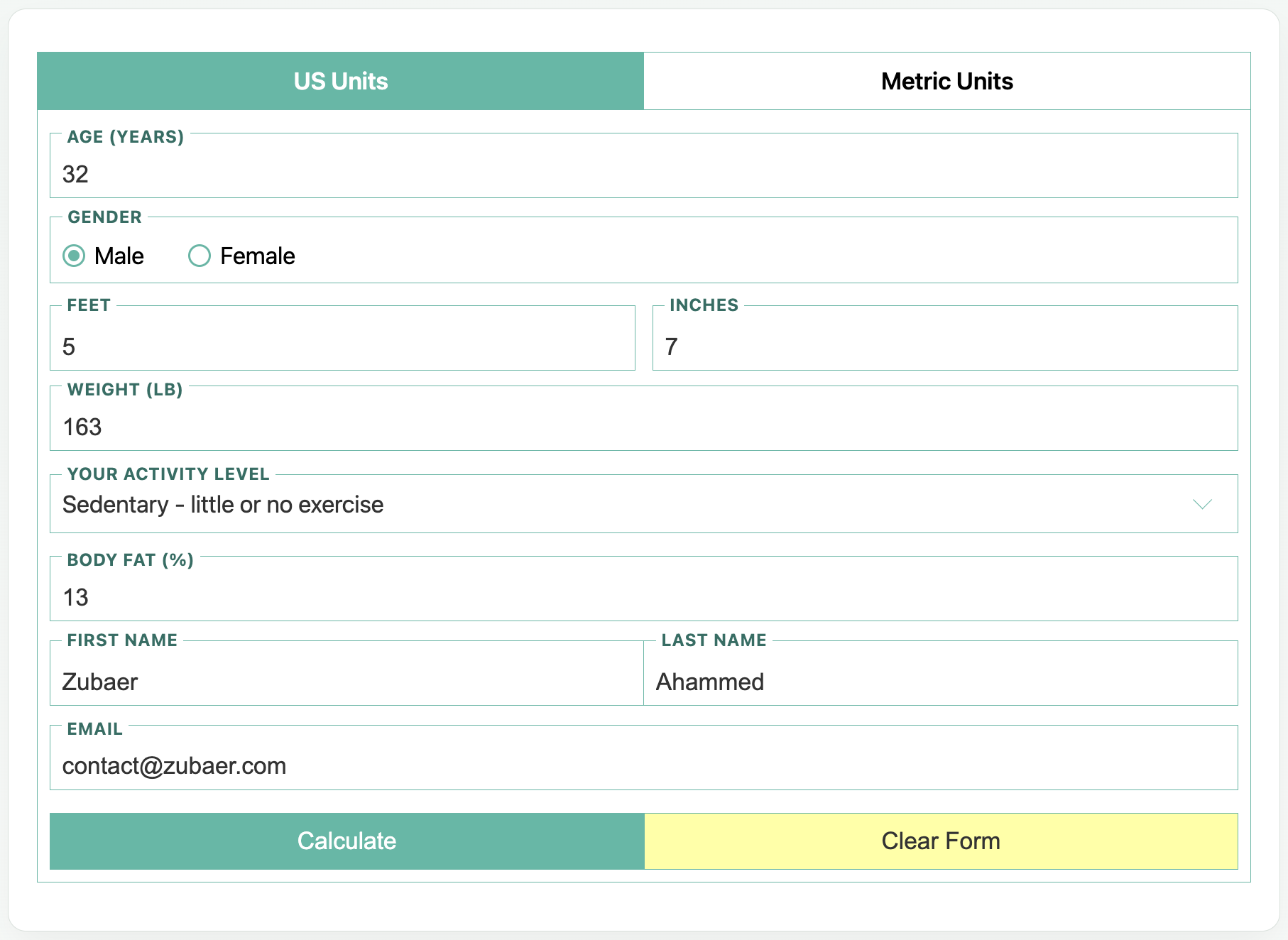
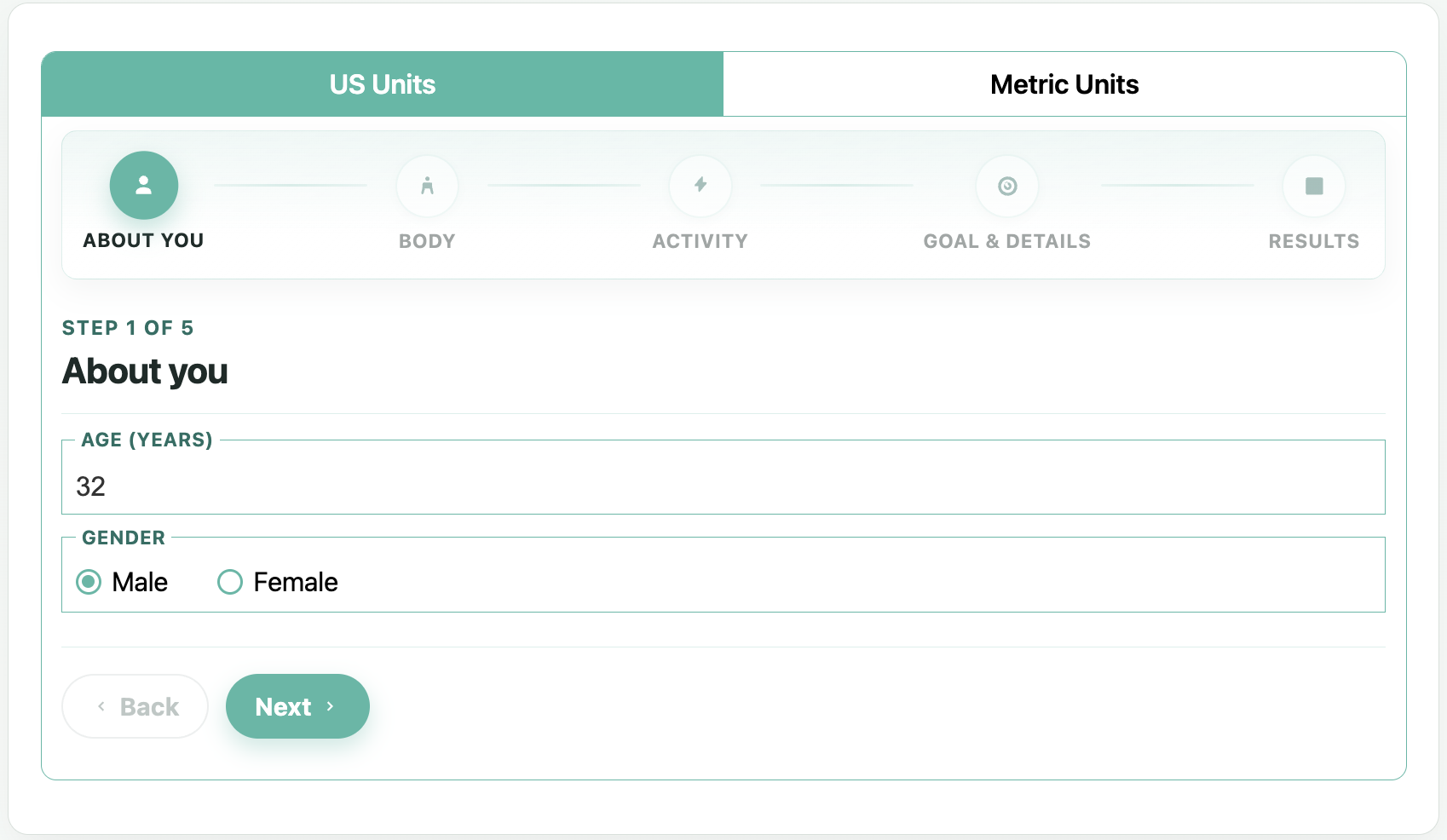
Calorie Calculator is a free WordPress calorie calculator for fitness, nutrition, health, and coaching sites. Visitors estimate daily calorie needs from age, sex, height, weight, and activity — then see clear BMI, BMR, TDEE, and lose/gain guidelines.
Embed it with a block, shortcode, Elementor widget, or classic sidebar widget. Configure layouts and colours once under Look & feel, then reuse the same calculator across pages.
Results are estimates based on averages. Encourage a balanced diet and sensible activity alongside the numbers.
Why add a calorie calculator?
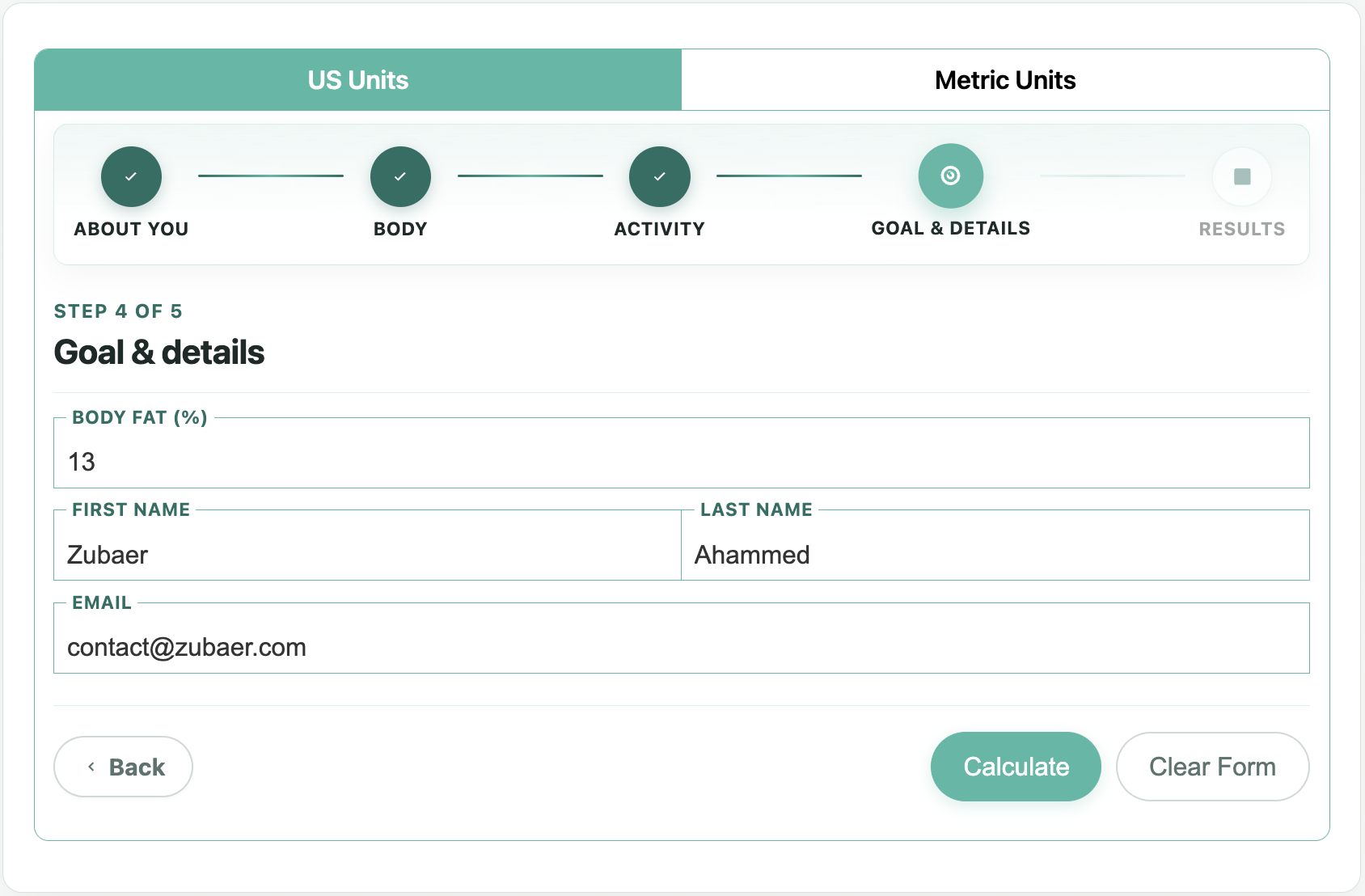
Interactive tools keep visitors on the page longer and turn curiosity into leads. Optional name and email fields store private Calculator Logs in wp-admin, and Free can notify you or fire a webhook when a log is created.
Science behind the numbers
Free uses the Mifflin–St Jeor equation for basal metabolic rate (BMR), then an activity multiplier for total daily energy expenditure (TDEE / maintain calories). BMI uses height and weight and shows a category label. Results always name the formula used.
What Free results include
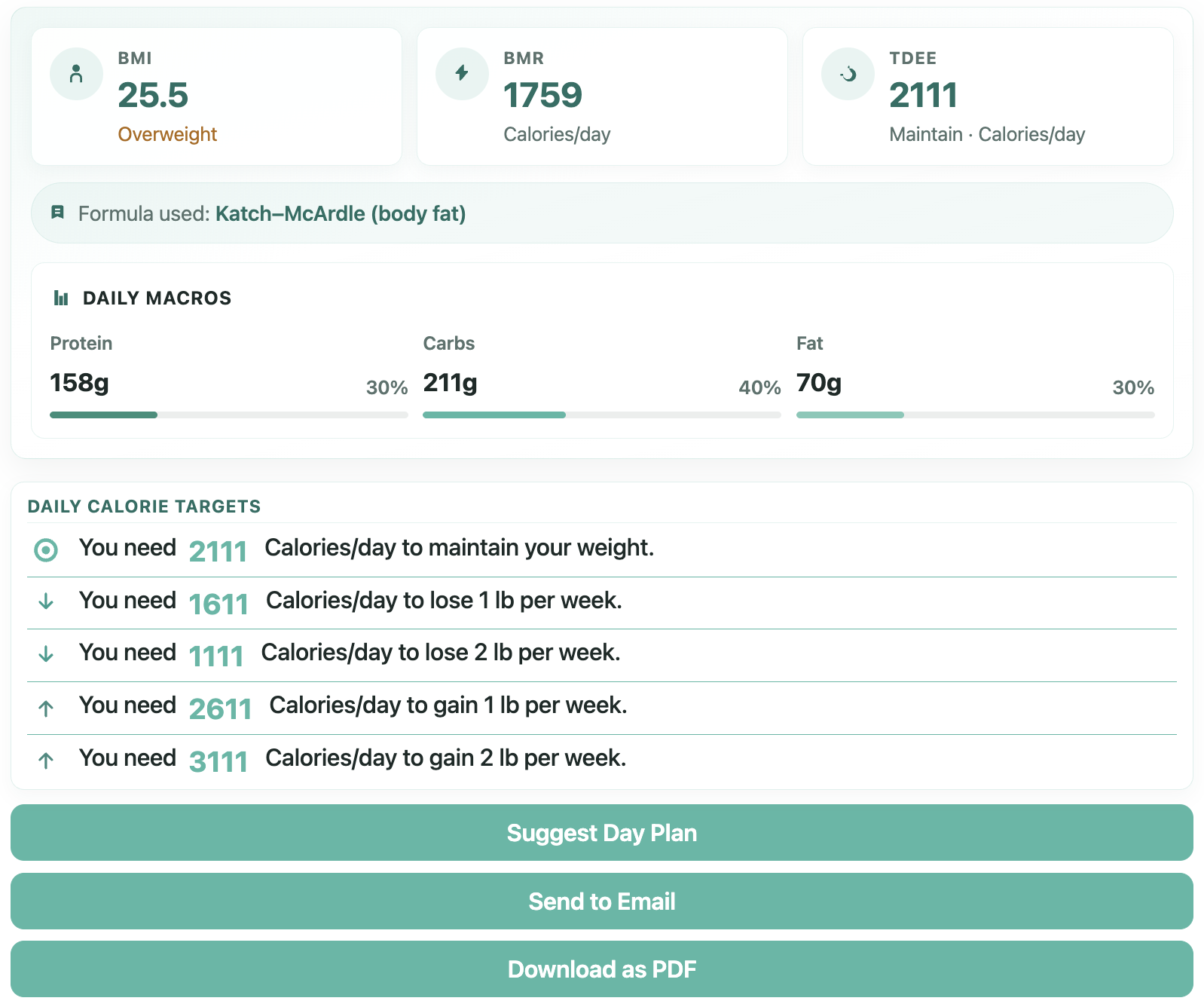
- BMI with category (underweight, normal, overweight, or obese)
- BMR — calories at rest
- TDEE — calories to maintain weight for the selected activity level
- Lose / gain calorie targets (for example 0.5 kg / 1 lb per week)
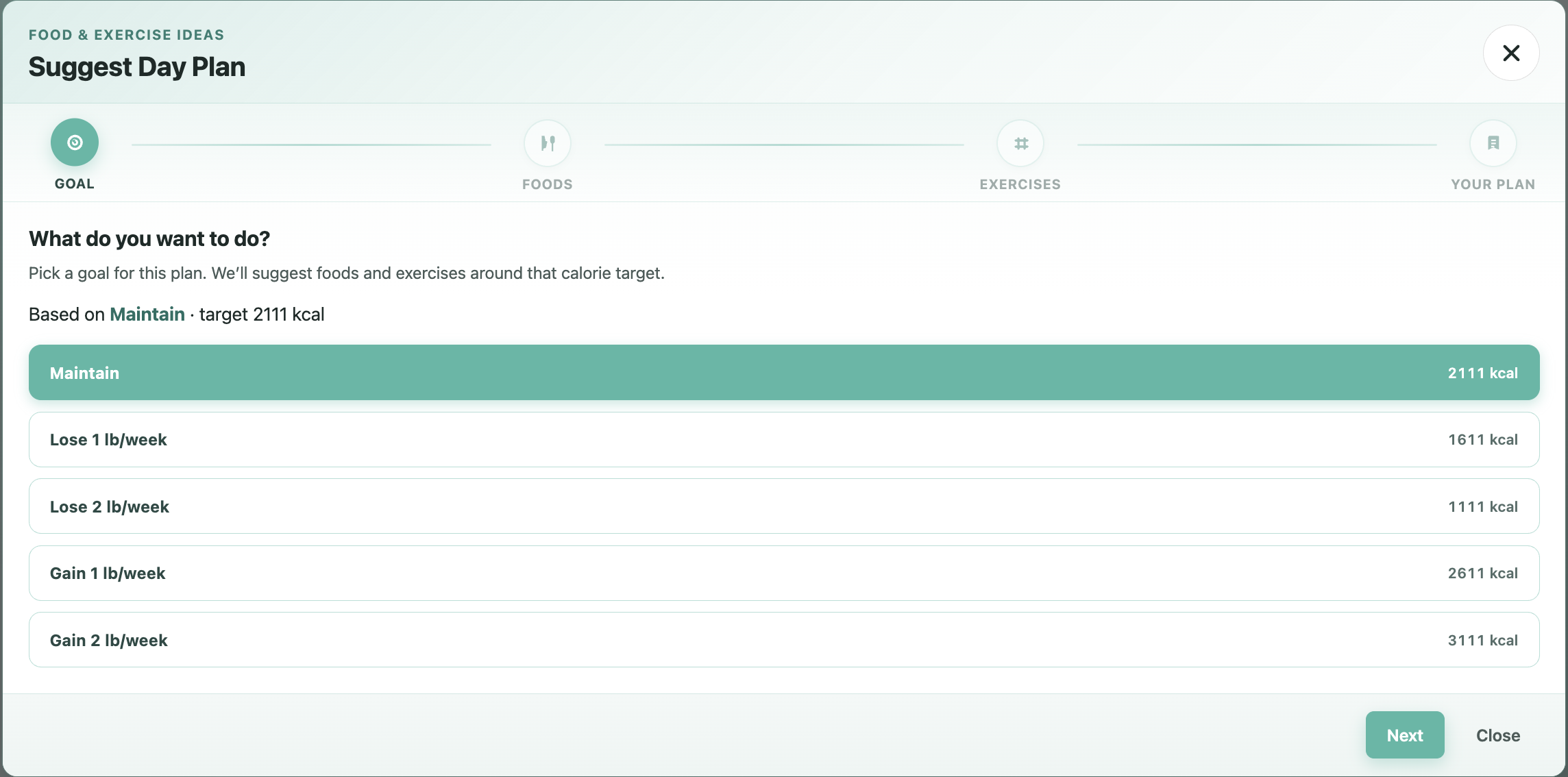
- Goal display as lose/gain lines or a single goal dropdown
How to use
- Install and activate Calorie Calculator.
- Add the Calorie Calculator block, shortcode
[calorie_calculator], Elementor widget, or classic widget. - Units default to both US and Metric; you can show only one.
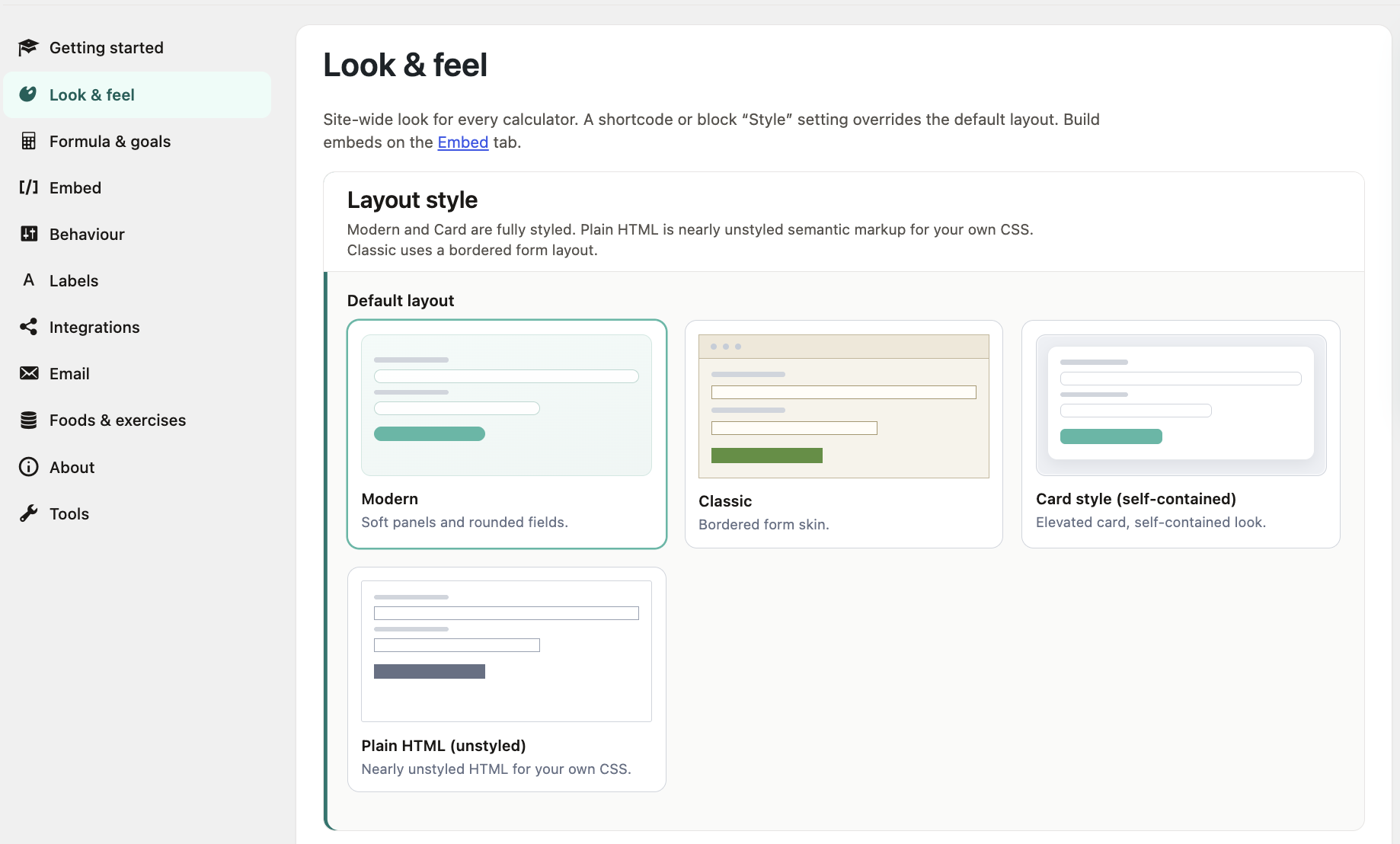
- Pick a layout: Modern, Card, Plain HTML (theme-friendly), or Classic — or set a site-wide default under Look & feel.
- Optionally show Name and Email fields to store calculator logs.
Using shortcodes
- Default:
[calorie_calculator] - In PHP/themes:
<?php echo do_shortcode( '[calorie_calculator]' ); ?> - Useful Free attributes:
unit="usunit/metricunit/both"(defaultboth)template="general/bootstrap-general/plain/old"(omit to use the Look & feel default)show_name_field="true/false"(defaulttrue)show_email_field="true/false"(defaulttrue)show_firstname_only="true/false"(defaultfalse)goal_ui="lines/dropdown"(default follows Behaviour, otherwiselines)
- Example:
[calorie_calculator unit="metricunit" template="general"]
Tip: open Calorie Calculator Embed for a shortcode builder with live preview and Copy.
Calculator logs
When name and/or email fields are used, submissions can be stored as private Calculator Logs (including BMI and basal BMR). Open Calorie Calculator Logs to review them. Logs are not publicly queryable.
Look & feel (Free)
Under Calorie Calculator Look & feel you can:
- Set the site-wide default layout (Modern, Card, Plain HTML, or Classic)
- Choose a base font size (small / normal / large)
- Set primary and alert / error colours (defaults match the Modern teal + yellow brand)
Behaviour (Free)
Under Calorie Calculator Behaviour you can:
- Choose the default goal display: lose/gain lines or a single goal dropdown
- Require a GDPR / privacy consent checkbox before a log is stored (customisable label)
- Send an outbound webhook (Zapier / Make / n8n Catch Hook) when a log is created
- Optionally email the admin when a calculator log is stored
Tools (Free)
Under Calorie Calculator Tools you can:
- Export / import settings (and restore defaults) for migration or support
- Copy a system info report for support threads (no secrets)
Pro locked previews
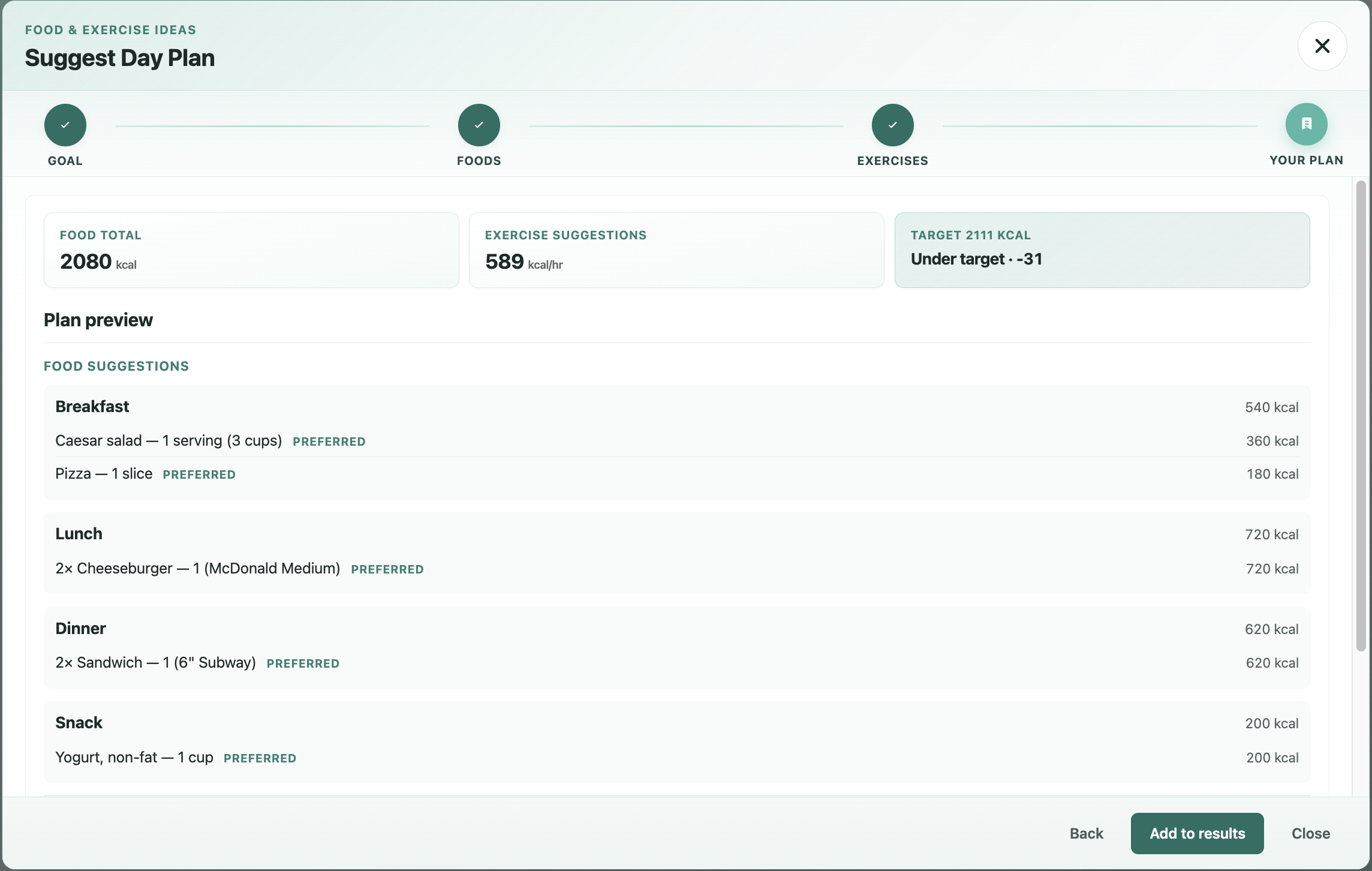
Settings also show locked Pro tabs (Formula & goals, Labels, Integrations, Email, Foods & exercises) so you can preview upgrades without leaving Free. The calculator itself remains fully usable on Free.
Pro version
Calorie Calculator Pro adds PDF download, email results, email-required lead gate, macronutrient breakdown, mailing-list integrations, foods and exercises tables, body fat / Katch–McArdle, Labels overrides, multi-step form flow, and premium support.
Capturas

Bloques
Este plugin proporciona 3 bloques.
- Calorie Calculator
- Calories in Foods Table
- Calorie Burning Exercises Table
Instalación
From WordPress.org
- In wp-admin go to Plugins Add New, search for Calorie Calculator, then Install and Activate.
- Open Calorie Calculator in the admin menu and review Look & feel and Behaviour (optional).
- Add the calculator to any page:
- Block editor: insert the Calorie Calculator block
- Shortcode:
[calorie_calculator](or build one under Embed) - Elementor: Calorie Calculator widget in the Calorie Calculator category
- Classic widgets: Appearance Widgets Calorie Calculator
- Publish the page and test on the front end.
Manual zip upload
- Download the plugin zip from WordPress.org.
- Go to Plugins Add New Upload Plugin, choose the zip, then Install Now and Activate.
- Follow steps 2–4 above.
FAQ
-
What is Calorie Calculator?
-
A free WordPress plugin that embeds a calorie calculator (block, shortcode, Elementor, or classic widget) so visitors can estimate daily calorie needs and see BMI, BMR, TDEE, and simple lose/gain targets.
-
How do I add the calculator to a page?
-
Use the Calorie Calculator block, paste
[calorie_calculator], add the Elementor widget, or place the classic widget in a sidebar. The Embed tab can generate a shortcode with a live preview. -
On which basis are the values calculated?
-
Free uses the Mifflin–St Jeor equation for BMR, then an activity factor for TDEE (maintain calories). BMI is calculated from height and weight. Results are estimates, not medical advice.
-
Does the Free version include BMI, BMR, and TDEE?
-
Yes. Free results show BMI (with category), basal BMR, and TDEE alongside lose/gain calorie targets. Pro adds extras such as macros, PDF/email delivery, and more formulas.
-
Free is fully usable for embedding and calculating. Some admin tabs are locked Pro previews so you can see what upgrades unlock — they do not block the Free calculator on the front end.
-
Can I choose US or Metric units?
-
Yes. Show US, Metric, or both (default). Set it per shortcode/block/widget with
unit="usunit",unit="metricunit", orunit="both". -
How do I change colours and layout?
-
Open Calorie Calculator Look & feel. Choose Modern, Card, Plain HTML, or Classic, set base font size, and pick primary / alert colours. You can also override layout per shortcode with
template. -
Can I collect emails or leads with the Free version?
-
Yes. Optionally show Name and Email fields; submissions can be stored as private Calculator Logs. Under Behaviour you can require GDPR consent, email the admin, and send an outbound webhook (Zapier / Make / n8n).
-
Is it GDPR-ready?
-
You can require a privacy consent checkbox before a log is stored, and customise the consent label under Behaviour. Align the wording with your privacy policy.
-
How do I send calculator leads to Zapier, Make, or n8n?
-
Under Behaviour, enable the outbound webhook and paste your Catch Hook URL. Free fires when a calculator log is created.
-
Where are calculator logs stored?
-
In wp-admin under Calorie Calculator Logs. They are private (not publicly queryable) and can include BMI and basal BMR when those fields are collected.
-
Does it work with Elementor?
-
Yes. Add the Calorie Calculator widget from the Calorie Calculator category in Elementor.
-
What is the difference between Free and Pro?
-
Free covers embedding, Mifflin–St Jeor results (BMI / BMR / TDEE / goals), layouts, GDPR consent, webhook, admin email, logs, and settings backup. Pro adds PDF/email results, lead gate, macros, mailing-list integrations, foods & exercises, body fat / Katch–McArdle, Labels, multi-step flow, and premium support. Details: Calorie Calculator Pro.
-
How do I get support?
-
Use the WordPress.org support forum. Under Tools (or Support), copy the system info report (no secrets) into your thread to speed up troubleshooting.
Reseñas


Colaboradores y desarrolladores
«Calorie Calculator» es un software de código abierto. Las siguientes personas han colaborado con este plugin.
Colaboradores
Traduce «Calorie Calculator» a tu idioma.
¿Interesado en el desarrollo?
Revisa el código , echa un vistazo al repositorio SVN o suscríbete al registro de desarrollo por RSS.
Registro de cambios
3.8.86
- Card template: Activity / Goal select text no longer clipped by tight theme control heights
- Classic template: selected US / Metric unit tab fills the whole half-width cell (front end, FOUC, and block editor)
3.8.85
- Classic unit tabs: stretch active tab link so the white sheet is not a small label pill
3.8.84
- Classic / Card skins: harden unit-tab and form chrome against theme list and button resets
3.8.83
- Skin polish: keep Classic and Card unit headers readable under common theme styles
3.8.82
- Classic: body fat / name / email use label-above layout like modern (classic chrome kept)
3.8.81
- Gutenberg: Calorie Calculator block uses brand C + check SVG; tables keep editor-table
3.8.80
- Gutenberg blocks: monochrome Dashicons (forms / table) like Elementor widgets
3.8.79
- Gutenberg block inserter: show brand SVG icon instead of a solid teal square
3.8.78
- Classic block editor preview: unit tabs form a continuous 50/50 header bar
3.8.77
- Classic template: restore selected US/Metric tab white sheet (FOUC no longer overrides active)
3.8.76
- Card template: show form when themes hide
.tab-content(e.g. Techblaze widget tabs)
3.8.75
- Classic multi-step: restore horizontal US/Metric tab header against theme list grid
3.8.74
- Card and plain templates: theme-proof unit tabs and result lists against list-card / chevron styles
3.8.73
- Classic template: kill theme list-card / chevron bullets on US–Metric unit tabs
3.8.72
- Theme-proof results layout against content p/h4/ul styles without changing designed chrome
3.8.71
- Harden US/Metric unit tabs against theme list styles (stacked tabs, custom bullets)
3.8.70
- Fix Calculate and Clear Form vertical misalignment on small screens
3.8.69
- Fix Calculate falsely requiring empty fields when Akismet injects honeypot inputs (US and Metric, all templates)
- Sidebar results: stack BMI/BMR/TDEE cleanly, align Daily macros, slightly smaller type in narrow hosts
- Show the hand pointer on Calculate and Clear Form buttons
- Activity dropdown shows the selected level instead of always showing the placeholder
3.8.68
- WordPress.org listing: richer Description, Installation, and FAQ (short description unchanged)
3.8.67
- Short description trimmed to WordPress.org’s 150-character limit
3.8.66
- WordPress.org screenshots replaced with clear captures (previous set was corrupted)
3.8.65
- Admin nav matches Pro: all Pro tabs shown as locked teasers, including Foods & exercises
- Tools: settings export / import / restore defaults unlocked on Free
- Look & feel: primary + alert/error colour defaults (teal / yellow) aligned with Pro
- Docs refreshed (overview, settings, shortcodes, support); WordPress.org screenshots updated
3.8.6
- Floating field labels so filled inputs keep a compact, visible name (Age, Weight, Gender, …)
3.8.5
- Results: BMI / BMR / TDEE snapshot cards + macros bars, separate from daily calorie target lines
3.8.4
- Look & feel: clickable layout style previews (Modern, Card, Plain, Classic) with primary-colour accent
3.8.3
- Support tab with a copyable system report (versions, PHP extensions, webhook host, active plugins)
3.8.2
- Admin tabs use clearer section panels (teal accent bars) on Look & feel, Behaviour, Embed, About, and Pro teasers
- Menu labels: Styling Look & feel, Calculation Formula & goals
- About tab: Plugin, Help, and Pro sections
3.8.1
- Results now show which BMR formula was used (Mifflin–St Jeor in Free)
3.8.0
- New Styling settings tab: site-wide default layout, base font size, and brand colours (moved off Behaviour)
- New Plain HTML layout — semantic form markup with minimal plugin chrome so themes can own the look
- Shortcode/block/widget Style options include Plain HTML; omit
templateto use the Styling default
3.7.0
- Optional goal dropdown: show one target calorie figure for Maintain, Mild/Weight Loss, or Mild/Weight Gain (default stays the existing lose/gain lines)
- New
goal_ui="lines/dropdown"attribute for the shortcode, block, Elementor widget, and classic widget; Behaviour tab sets the site-wide default - Primary and secondary colour pickers on the Behaviour tab (empty keeps the current look)
- Shortcode builder with live preview and Copy button on the Embed tab
- Behaviour tab settings can now be switched off and cleared reliably
- No Free features removed
3.6.0
- Behaviour tab: optional privacy consent before logging
- Outbound webhook (Zapier / Make / n8n) when a calculator log is created
- Optional admin email notification when a log is stored
- No Free features removed
3.5.0
- Results now show BMI, basal BMR, and TDEE alongside existing calorie goals
- BMI / basal BMR stored on calculator logs
- No Free features removed
3.4.0
- Modern foundation: self-contained Card style (no theme Bootstrap required)
- Gutenberg block for the calculator
- Elementor calculator widget
- Working
[calorie_calculator]shortcode in Free - Privacy: calculator logs are no longer publicly queryable
- Security hardening for log submissions
- Shared core helpers for Free/Pro alignment
3.3.1
- Performance Improvements
- Compatibility with the latest WordPress version
3.3.0
- Performance Improvements
- Compatibility with the latest WordPress version
3.2.9
- Performance Improvements
- Compatibility with the latest WordPress version
3.2.8
- CSS bug fixes
3.2.7
- RTL Language support
3.2.6
- Bug fixes
- Performance Improvements.
3.2.5
- Bug fixes
- Performance Improvements.
3.2.4
- Bug fixes
- Performance Improvements.
3.2.3
- Made setting Calculator Easier.
- Visual Improvements.
3.2.2
- Added helpful message and updated compatibility.
3.2.1
- Issue with Firefox browser is now fixed.
- Bug fixes and enhancements.
3.2.0
- Bug fixes and enhancements
3.1.9
- Weight field tooltip issue fixed.
3.1.8
- CSS Issue fixation.
3.1.7
- Bootstrap Style Not Showing issue fixed.
3.1.6
- CSS Overflow issue with Select Activity option Fixed.
3.1.5
- CSS Enhancement
3.1.4
- Bug Fixes and CSS Enhancement
3.1.3
- Bug Fixes and Improved user experience
3.1.0
- Bug fixes and improved user experience
3.0.1
- Bug fix with Calorie Calculator Logs
3.0.0
- Attractive and Imporved User Interface
- Save user details as Calculator Logs
- User Name and User Email Field.
- Use Calculator Logs and User Details as you wish
- Made Faster and Secure.
2.5.0
- Working with the latest version of wordpress 4.8
2.5.0
- Performance improvement
- Security improvement
- Ready to upgrade
2.0.2
- Frontend template and bootstrap template issue fixation
2.0.1
- Bootstrap template showing issue fixation.
2.0.0
- Support for Twitter Bootstrap. Now, you can enable “Twitter Bootstrap” specific styling if your theme supports twitter bootstrap.
- Performance improvement.
1.1.0
- Switch for showing ‘US Units’ or ‘Metric Units’ or both added.
- Plugin has been made compitable for translation.
1.0.0
- First version of Calorie Calculator.