
Descripción
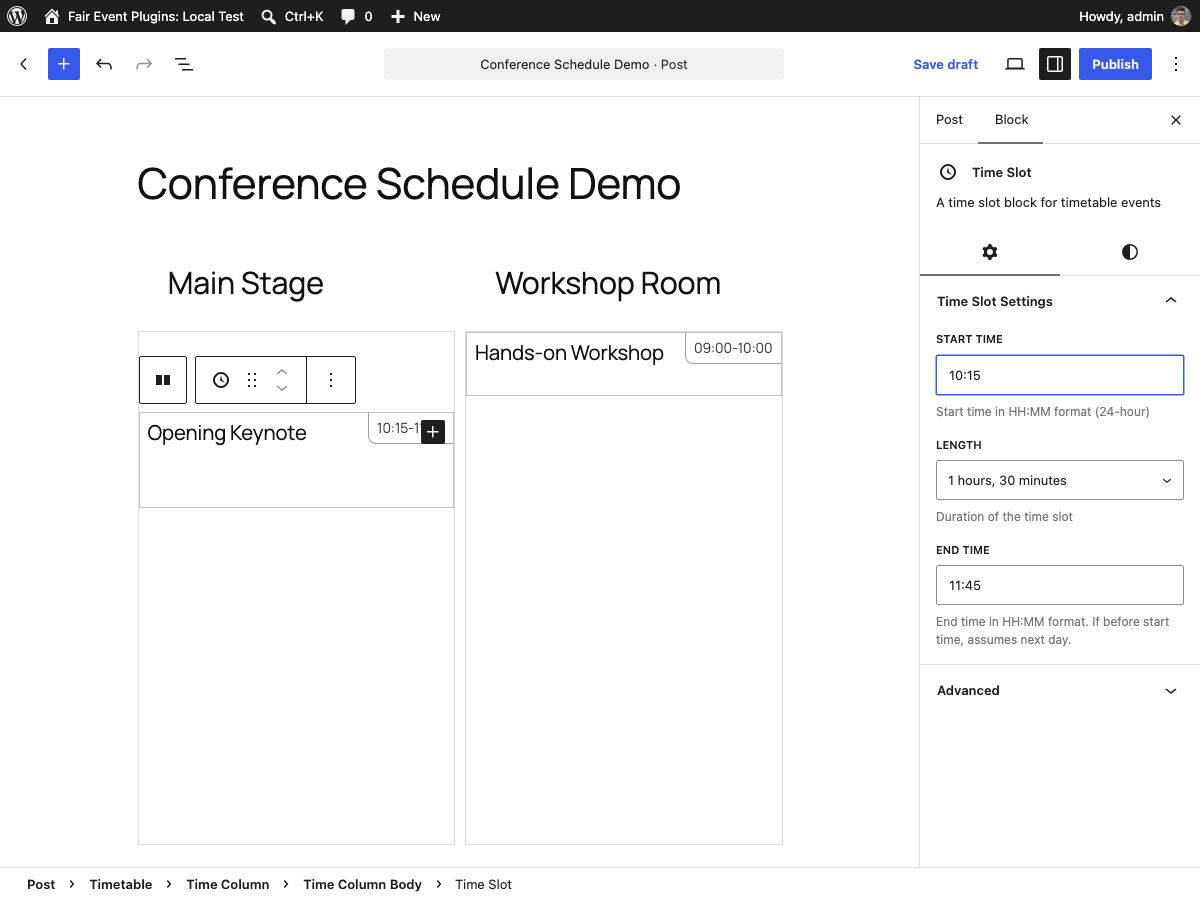
A Gutenberg block system for multi-track schedules. Build a visual programme with columns (stages, rooms, tracks) and time slots that position themselves automatically based on start time. Responsive out of the box — time ranges collapse gracefully on mobile. Perfect for festivals, conferences, and workshops with parallel sessions.
Key Features:
- Flexible Container System: Timetable container block organizes multiple columns horizontally
- Smart Context Inheritance: Time settings defined once in the timetable, inherited by all columns
- Responsive Time Display: Time ranges automatically hide on narrow screens for optimal mobile experience
- Precise Time Slots: Individual time slots with calculated positioning based on start times
- Visual Time Scale: Configurable hour height for optimal visual presentation
- Server-side Rendering: SEO-friendly with proper WordPress block architecture
- Clean Block Editor UX: Intuitive editing with read-only settings display and parent navigation
- Fair Pricing Model: No premium tiers or hidden features – everything is included
Block Structure:
- 📅 Timetable Container – Organizes columns horizontally, defines global time settings
- 📊 Timetable Column – Individual schedule tracks (e.g., Room A, Stage 1, Workshop Track)
- ⏰ Time Slot – Individual events with precise time positioning and responsive display
Perfect For:
- Conference organizers managing multiple tracks
- Event venues with parallel sessions
- Workshop coordinators with concurrent activities
- Festival organizers with multiple stages
- Educational institutions with class schedules
- Any organization needing visual time-based layouts
The plugin uses advanced CSS container queries for responsive design and WordPress’s block context system for seamless data inheritance between parent and child blocks.
Development
- GitHub Repository: marcin-wosinek/fair-event-plugins
- Report Issues: Issues
- Contribute: Pull Requests
Developer Notes
The plugin is open source and contributions are welcome on GitHub.
Capturas

Bloques
Este plugin proporciona 4 bloques.
- Timetable A timetable block for displaying scheduled events
- Time Column Body A time column body container for organizing time slots
- Time Slot A time slot block for timetable events
- Time Column A time column with header and body for organizing timetable content
Instalación
- Upload the plugin files to the
/wp-content/plugins/fair-timetabledirectory, or install the plugin through the WordPress plugins screen directly. - Activate the plugin through the ‘Plugins’ screen in WordPress.
- In the Gutenberg editor, find the “Timetable” block in the design category.
Add the timetable container block to your post or page.
Add timetable columns within the container.
- Add time slots within each column and configure your events.
- Set global time settings (start time, end time, hour height) in the timetable container.
FAQ
-
How do the time settings work?
-
Time settings are defined once in the timetable container block and automatically inherited by all columns within it. This ensures consistency across your entire schedule.
-
Can I have different time ranges for different columns?
-
When columns are placed inside a timetable container, they inherit the parent’s time settings for consistency. For different time ranges, use separate timetable containers or standalone timetable columns.
-
Can I customize the visual appearance?
-
Yes! The plugin provides three hour height options (Small, Medium, Large) for visual scaling, and all blocks follow WordPress styling standards for theme compatibility.
-
Will this work with my theme?
-
The plugin is designed to work with any properly coded WordPress theme. It uses WordPress’s standard block wrapper and follows WordPress coding standards.
-
How are time slots positioned?
-
Time slots calculate their position automatically based on the timetable’s start time and the slot’s start time, creating precise visual alignment in your schedule.
-
How can site tools and AI assistants discover this plugin’s blocks?
-
Every release ships
block-docs/index.jsonin the plugin folder. It lists each block the plugin supplies, with its block.json, a usage guide, and serialized examples that match this release. To check which blocks are registered on a particular site, use the authenticated WordPress endpoint/wp-json/wp/v2/block-types(it requires theedit_postscapability).block-docs/README.mdexplains the difference between shipped, registered, and insertable blocks.
Reseñas
No hay reseñas para este plugin.
Colaboradores y desarrolladores
«Fair Timetable» es un software de código abierto. Las siguientes personas han colaborado con este plugin.
Colaboradores
«Fair Timetable» ha sido traducido a 2 idiomas locales. Gracias a los traductores por sus contribuciones.
Traduce «Fair Timetable» a tu idioma.
¿Interesado en el desarrollo?
Revisa el código , echa un vistazo al repositorio SVN o suscríbete al registro de desarrollo por RSS.
Registro de cambios
The full changelog is maintained on GitHub:
CHANGELOG.md