
Descripción
FileOrganizer is a lightweight and easy-to-use file management plugin for WordPress. Organize and manage your WordPress files with FileOrganizer without any control panel or FTP access. You can access, upload, download, edit, delete, zip, cut, copy, and paste files even outside the WordPress root directory.
Free Features
- Files and directory Management: Supports all file operations on a remote server such as create files or directory, upload, download, rename, copy, etc.
- Drag & drop: Easy drag-and-drop file transfer for uploading and moving files.
- Built-in editor: FileOrganizer has a built-in editor for editing code and files.
- Archive creation / extraction: Create or extract archives with one click(.zip, .tar)
- File Previews: Supports previews for common file types including PDFs, pictures, videos, audio, and thumbnails.
- Responsive: FileOrganizer is compatible with tablets and smartphones.
- Search: The built-in search feature makes it simple to find your files.
- File View: Offers both icons and list views for easy navigation.
- Image Thumbnails: Display thumbnails for image files.
- Support Shortcuts: Common keyboard shortcuts such as cut, copy, paste, etc. are available.
- Toolbar: Rich Toolbar and context menu are available.
- Directory Size: Calculates size of the directory.
- File/Directory Info: File or directory information can retrived by simply right-clicking a file and choosing Get Info.
Info
Do you have questions related to FileOrganizer ? Use the following links :
Capturas
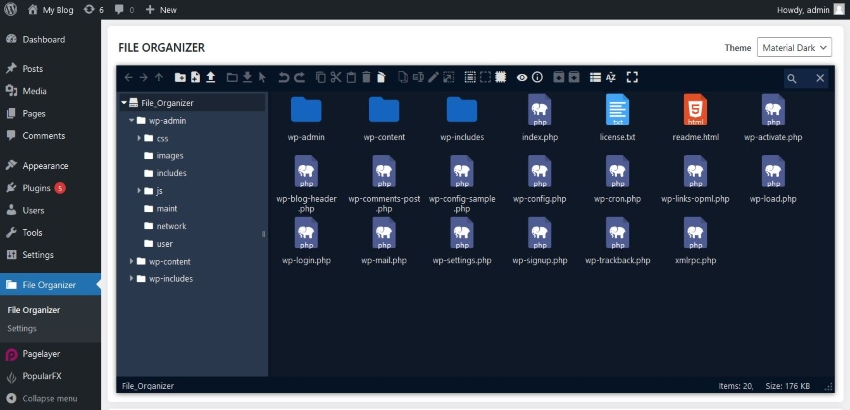
File Manager Screen 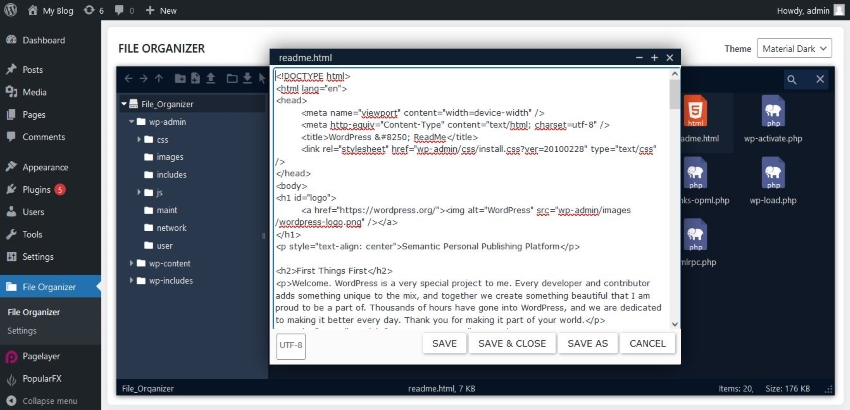
Edit File 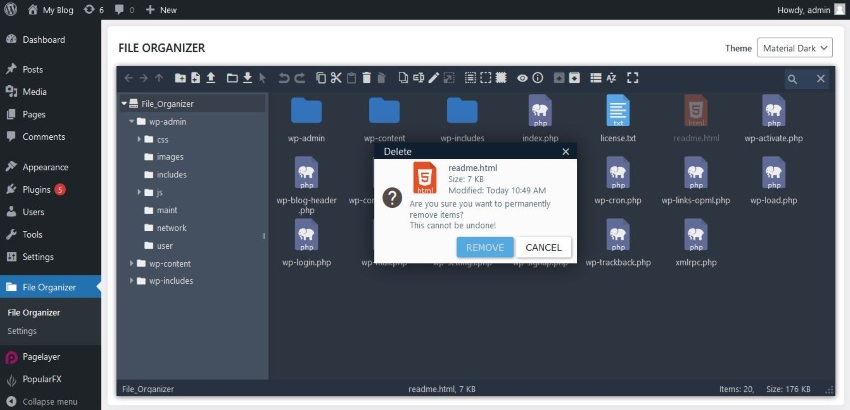
Delete File 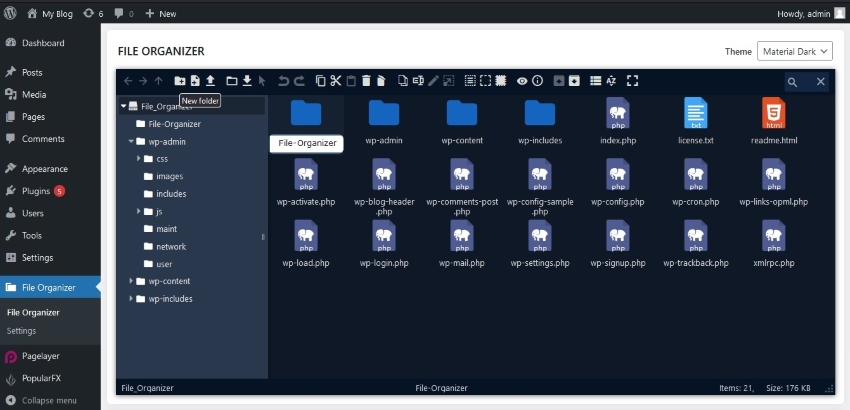
Make a folder 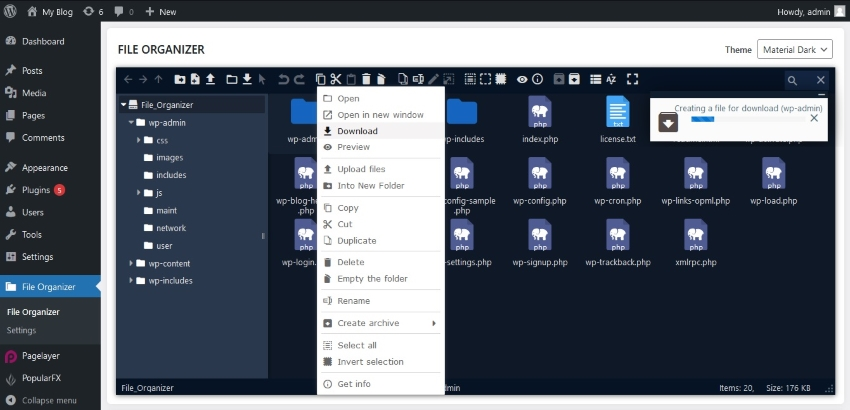
Download archived zip file 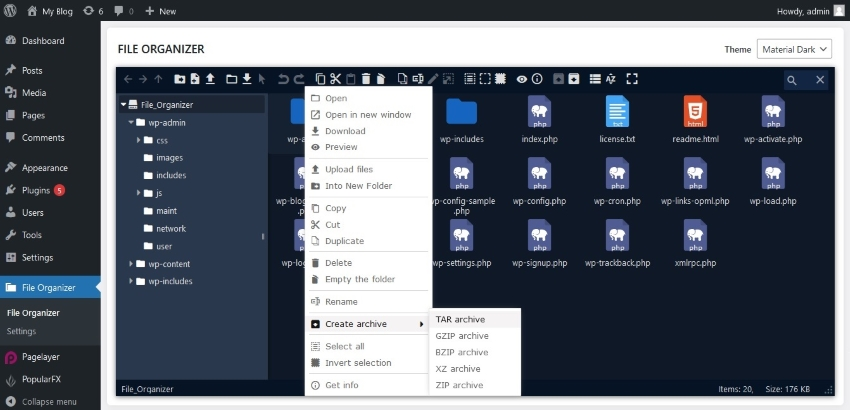
File archive as ZIP
FAQ
-
How to install FileOrganizer
-
Go To your WordPress install -> Plugins -> Add New Button -> In Search Box, Look For FileOrganizer -> Click on Install.
Reseñas


Colaboradores y desarrolladores
«FileOrganizer – Manage WordPress and Website Files» es un software de código abierto. Las siguientes personas han colaborado con este plugin.
Colaboradores
«FileOrganizer – Manage WordPress and Website Files» ha sido traducido a 3 idiomas locales. Gracias a los traductores por sus contribuciones.
Traduce «FileOrganizer – Manage WordPress and Website Files» a tu idioma.
¿Interesado en el desarrollo?
Revisa el código , echa un vistazo al repositorio SVN o suscríbete al registro de desarrollo por RSS.
Registro de cambios
1.0.7 (Apr 11, 2024)
- [Security-Fix] An XSS vulnerability has been fixed. Please upgrade to this version as soon as possible!
1.0.6 (Dec 15, 2023)
- [Security-fix] There was a privilege check failure which has been fixed.
1.0.5 (Nov 29, 2023)
- [Task] Tested compatibility with WordPress 6.4. No functional changes made. The plugin is fully compatible with WordPress 6.4.
1.0.4 (sep 19, 2023)
- [Improvement] FileOrganizer file manager is now only accessible for users with the ‘Activate Plugins’ role. And in the Pro version other roles can be granted file manager access by the Supper administrator.
1.0.3 (sep 8, 2023)
- [Feature] FileOrganizer optimized for WordPress multi-site. Now you can use FileOrganizer for multi-site.
- [Pro-Feature] Added settings to prevent FileOrganizer from setting paths outside of your WordPress installation. And the free version does not allow the user to set a path outside your WordPress installation.
- [Improvement] The UI of all themes has been improved.
- [Improvement] Added CodeMirror editor to improve your editing experience.
1.0.2 (Apr 27, 2023)
- [Feature] Added theme option for file manager, now you can change theme of file manager.
- [Feature] Added some settings to configure FileOrganizer file manager.
- [Feature] Added option to enable Trash. Now you can Enable/Disable Trash feature for File Manager from Settings page.
- [Pro-Feature] Added “Allowed user roles” option to allow selected users to access File Manager.
- [Pro-Feature] Added options to restrict features and set limited access to FileOrganizer by users and user roles.
1.0.1
- [Bug-fix] In some cases, backslashes were added before quotes when editing a PHP file. This is fixed.
1.0.0
- First release