

Descripción
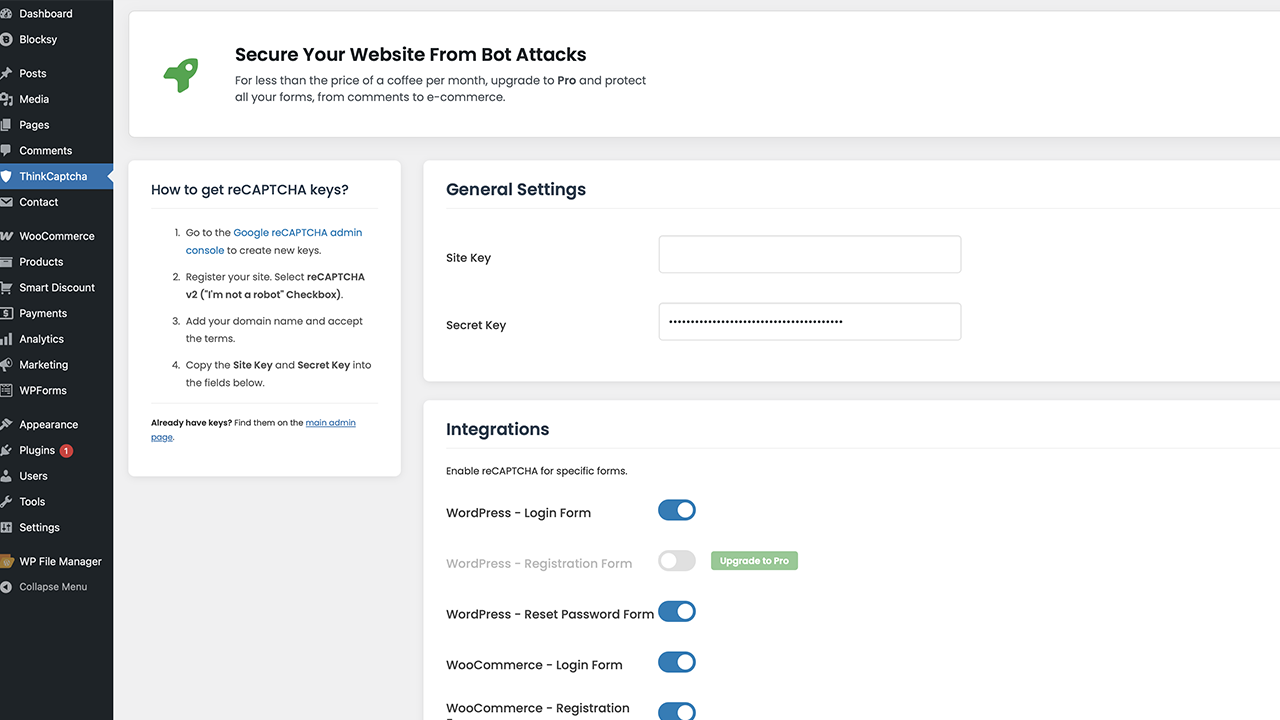
ThinkCaptcha adds a simple, effective captcha to the WordPress and WooCommerce forms that get attacked the most, so you can stop spam registrations, brute-force login attempts, and junk submissions.
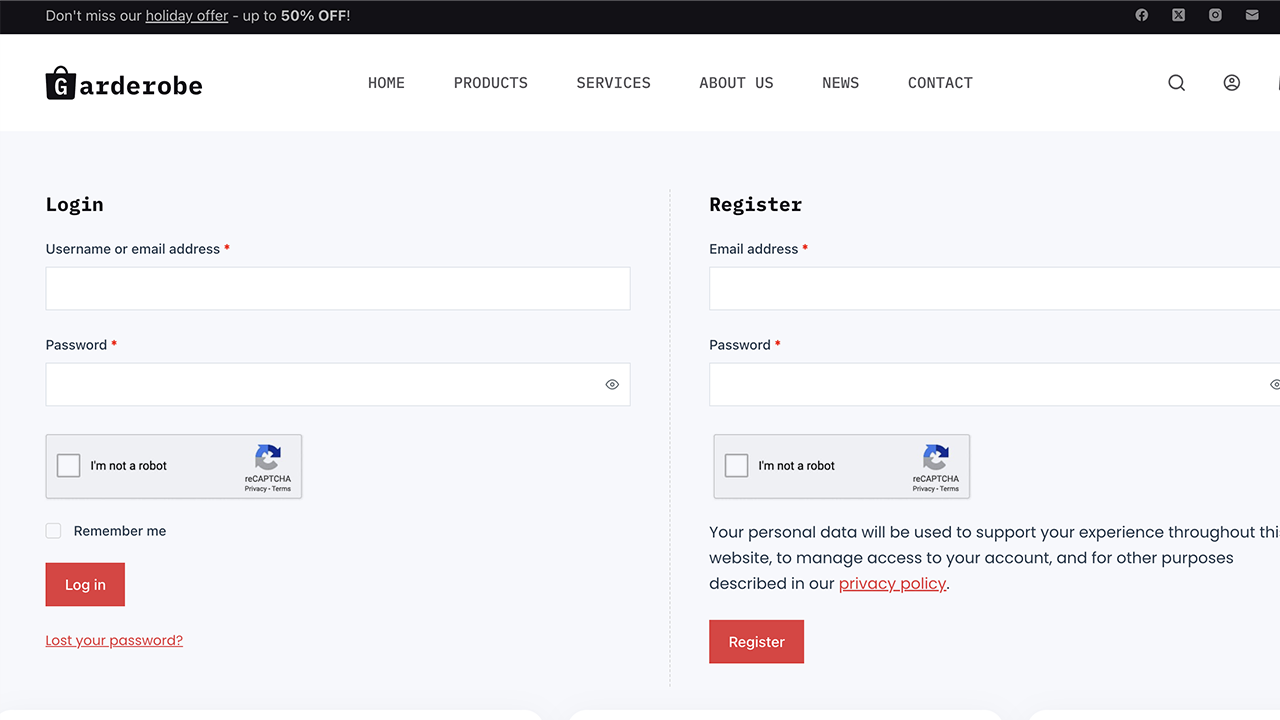
It uses Google’s familiar “I’m not a robot” checkbox (reCAPTCHA v2) and turns it on with a single toggle — no coding needed. The captcha only loads on the pages that actually use it, so it stays light on performance.
Free features
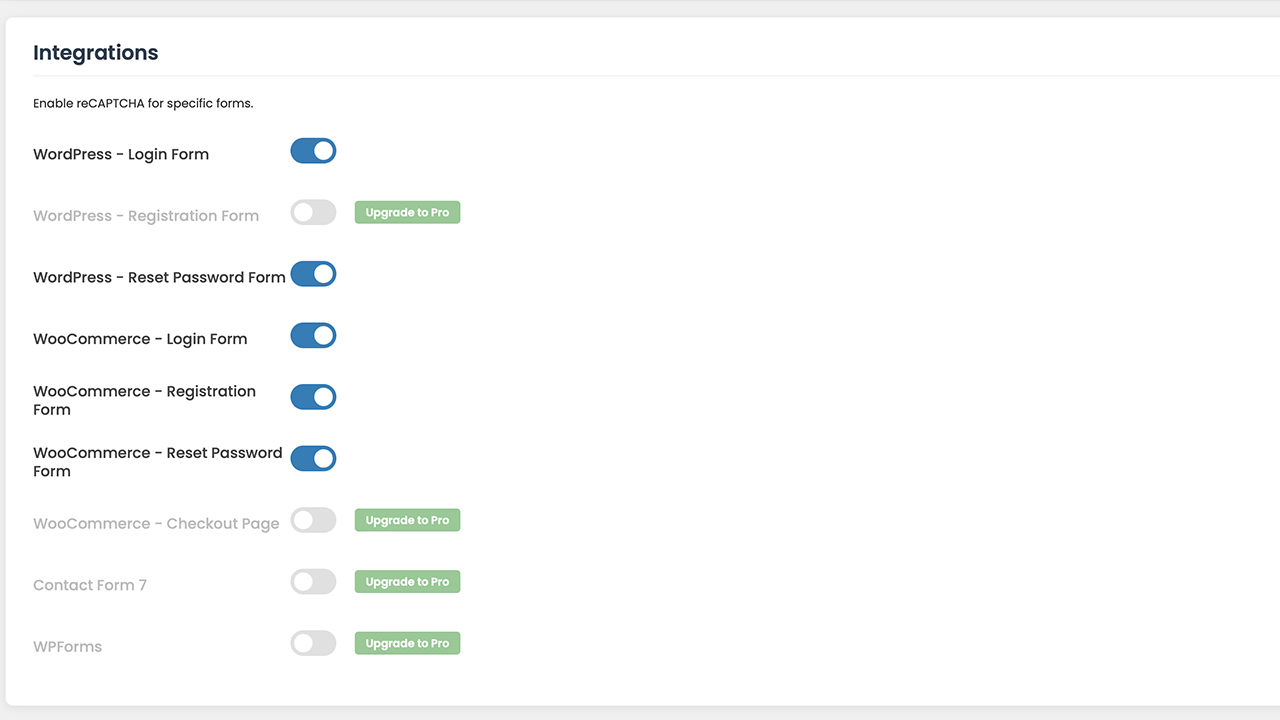
- Captcha on the WordPress login form to slow down brute-force attacks.
- Captcha on the WordPress registration and password-reset forms.
- Captcha on the WooCommerce login, registration, and password-reset forms.
- Loads asynchronously and only where it’s needed.
ThinkCaptcha Pro
Want to protect the rest of your site? ThinkCaptcha Pro extends the same captcha to:
- The WooCommerce checkout, to help prevent fraudulent and spam orders.
- Contact Form 7 and WPForms submissions.
- The default WordPress registration form.
Third-Party Service Disclosure
This plugin connects to the Google reCAPTCHA service to tell humans and bots apart.
- Service used: Google reCAPTCHA (provided by Google LLC).
- What is sent: to verify a visitor is human, the service collects and sends device and application data, along with the visitor’s IP address, to Google.
- When it is sent: whenever a protected form is displayed and submitted.
- Policies: use of Google reCAPTCHA is subject to Google’s Privacy Policy and Terms of Service.
Capturas

Instalación
- Upload the
thinkcaptchafolder to the/wp-content/plugins/directory. - Activate the plugin through the ‘Plugins’ menu in WordPress.
- Open the “ThinkCaptcha” menu in your WordPress admin dashboard.
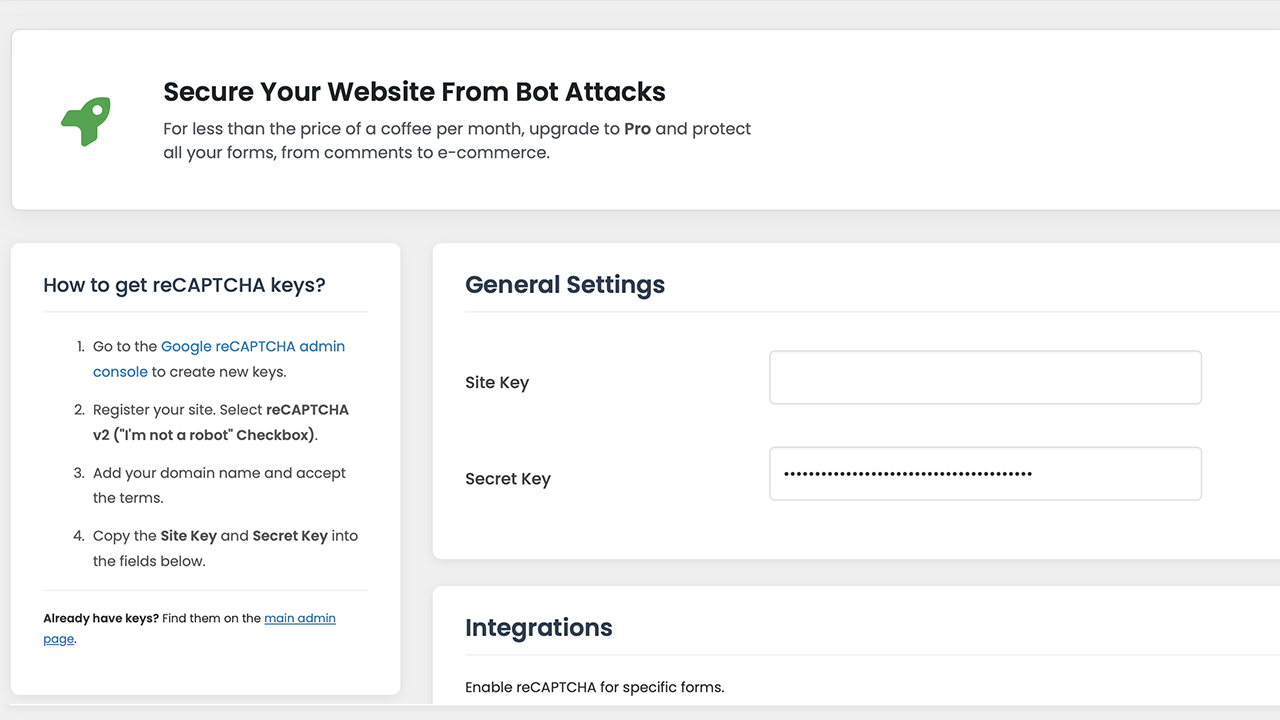
- Get a Site Key and Secret Key for reCAPTCHA v2 (“I’m not a robot” checkbox) from the Google reCAPTCHA admin console.
- Paste your keys into the plugin’s settings page.
- Use the toggles to enable the captcha on the forms you want to protect.
- Save your changes — protection is now active.
FAQ
-
How do I add a captcha to the WordPress login form?
-
After adding your Google reCAPTCHA keys, open the ThinkCaptcha settings page and enable “WordPress – Login Form”. The captcha is added to your login page automatically, which helps protect against brute-force attacks.
-
Can I add a captcha to my WooCommerce forms?
-
Yes. You can enable the captcha on the WooCommerce login, registration, and password-reset forms from the settings panel. The WooCommerce checkout is available in the Pro version.
-
Does the plugin support Contact Form 7 or WPForms?
-
Contact Form 7 and WPForms are supported in the Pro version.
-
What is the difference between a captcha and reCAPTCHA?
-
“Captcha” is the general term for a test that tells humans and bots apart. reCAPTCHA is Google’s version of it, which uses risk analysis for a smoother experience. ThinkCaptcha uses reCAPTCHA v2.
-
Does the plugin slow down my site?
-
No. The script loads asynchronously and only on pages where the captcha is active, so it does not block your pages from loading.
Reseñas
No hay reseñas para este plugin.
Colaboradores y desarrolladores
«ThinkCaptcha – Captcha for Login, Register and WooCommerce» es un software de código abierto. Las siguientes personas han colaborado con este plugin.
Colaboradores
Traduce «ThinkCaptcha – Captcha for Login, Register and WooCommerce» a tu idioma.
¿Interesado en el desarrollo?
Revisa el código , echa un vistazo al repositorio SVN o suscríbete al registro de desarrollo por RSS.
Registro de cambios
1.1.9
- FIX: The WooCommerce login captcha now blocks login on failed verification (moved to the woocommerce_process_login_errors filter).
- FIX: Removed an unreliable page check during wp_loaded that could stop WooCommerce login verification from running.
- FIX: The captcha script now loads with proper async/defer attributes via the script_loader_tag filter.
- TWEAK: Rewrote the readme and plugin title for clarity and to follow WordPress.org guidelines (removed keyword stuffing).
- TWEAK: Updated tested-up-to values (WordPress 7.1, WooCommerce 11.0).
- TWEAK: Removed a leftover Poppins font reference from the admin styles.
1.1.6
- TWEAK: Tested up to WordPress 6.9.
1.1.5
- FIX: Resolved a short-description length warning in readme.txt.
- FIX: Resolved a “Tested up to” tag validation error.
- FIX: Resolved a translation-loading notice by optimizing text domain calls.
- FIX: Added missing translator comments for better I18n compliance.
- TWEAK: Removed the Google Fonts dependency for better GDPR compliance; switched to native WordPress admin fonts.
- TWEAK: Improved IP detection for sites behind Cloudflare or a proxy.
1.1.2
- FIX: Switched to wp_enqueue_script for loading external JavaScript.
- FIX: Added nonce checks to all form submissions (CSRF protection).
- FIX: Added sanitization and unslashing for all $_POST and $_SERVER inputs.
- FIX: Added versioning to enqueued scripts and styles.
- FIX: Added isset checks for $_SERVER variables to prevent notices.
1.1.1
- FIX: Bundled the Font Awesome library locally to remove external dependencies.
1.1.0
- Initial public release.