

Descripción
Holographic Client Lockdown helps website designers, freelancers and agencies hand WordPress sites over to clients while keeping high-risk admin areas under control.
The plugin creates a Client Owner role, keeps normal administrators out of lockdown rules, and lets you add a custom support card to the WordPress dashboard for logged-in users. Client Admin Lockdown lets you choose which existing non-administrator roles are restricted, then control access to posts, pages, media, comments, Appearance, plugins, users, tools, settings, updates, the Customizer and Site Health.
It also includes developer update alert emails, optional login branding, WordPress toolbar logo replacement, a branded settings header logo, login colours and admin footer text.
Features
- Restricted Client Owner role.
- Role selection for Client Admin Lockdown.
- Client Admin Lockdown controls for posts, pages, media, comments, Appearance, plugins, users, tools, settings, updates, the Customizer, Site Health and profile access.
- Admin menu hiding for restricted roles.
- Direct URL blocking for restricted admin pages.
- Protection for search engine visibility, Site URL, Home URL and permalinks.
- Dashboard support card for all logged-in users, including administrators.
- Developer update alert emails for WordPress core, plugin and theme updates.
- Optional support card page ID so admins can design support card content with the WordPress editor.
- Optional login logo, login colours, WordPress toolbar logo, settings header logo and footer text for logged-in users.
- Built-in HoloLock help page explaining each major setting.
- Upgrade page showing the professional controls available in Holographic Client Lockdown Pro.
- Optional cleanup on uninstall.
Capturas
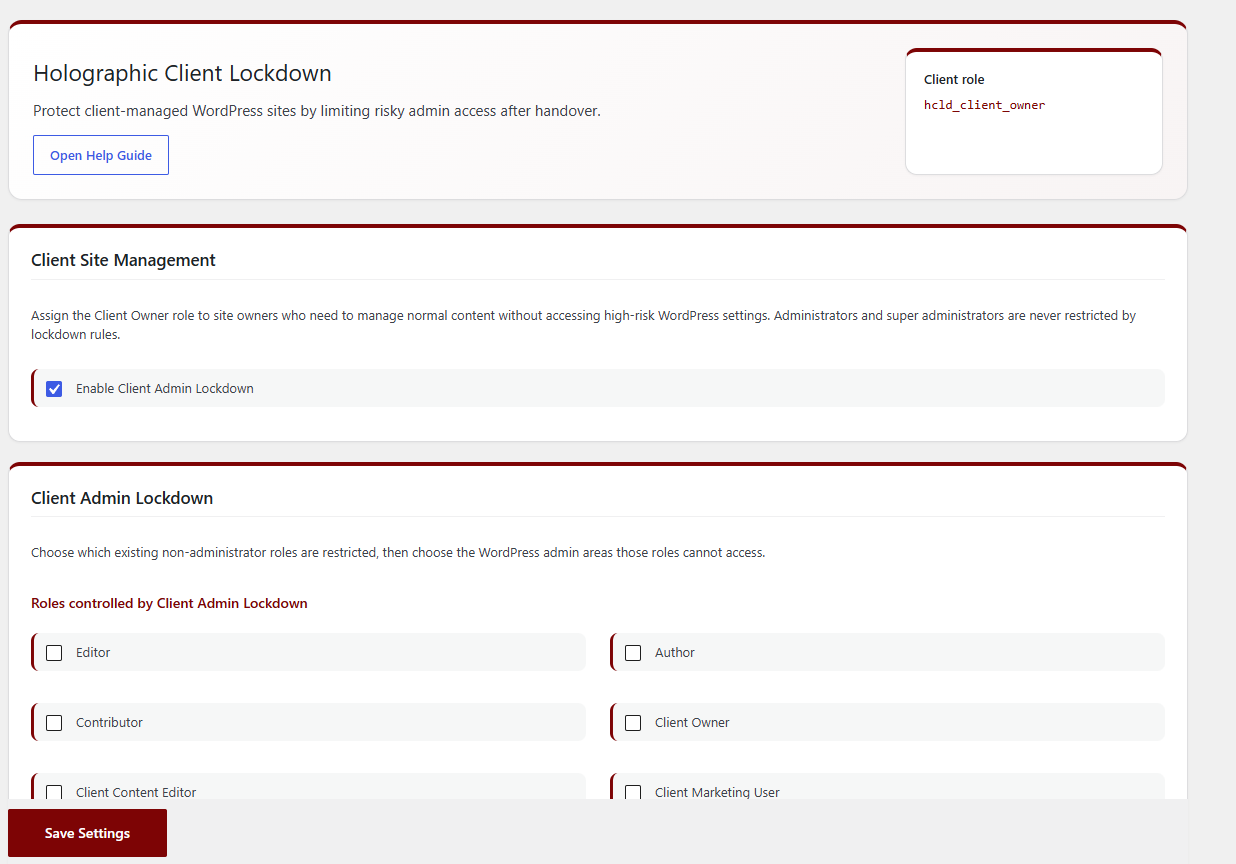
HoloLock settings screen.
FAQ
-
Is this a security plugin?
-
It is a client access and admin lockdown plugin. Use it to reduce accidental client changes to high-risk WordPress areas. Keep using proper security hardening, updates, backups and account protection alongside it.
-
Does it affect administrators?
-
Administrators are not restricted from WordPress admin areas. The dashboard support card and branding settings do apply to administrators so they can see the client-facing experience they are configuring.
-
Can clients still edit pages?
-
Yes. The default Client Owner role can edit pages and upload media unless you block those areas in Client Admin Lockdown. The support card can display content from a selected WordPress page.
-
Can I remove all plugin data?
-
Yes. Enable the uninstall cleanup option before deleting the plugin. The Client Owner role is removed only when no users still have that role.
-
What does the Pro version add?
-
Holographic Client Lockdown Pro adds page-level editing rules, a client permissions matrix, client admin menu control, full dashboard replacement, emergency controls, hidden technical notices for client users, activity logging and restricted-access alerts.
Reseñas
No hay reseñas para este plugin.
Colaboradores y desarrolladores
«Holographic Client Lockdown» es un software de código abierto. Las siguientes personas han colaborado con este plugin.
Colaboradores
Traduce «Holographic Client Lockdown» a tu idioma.
¿Interesado en el desarrollo?
Revisa el código , echa un vistazo al repositorio SVN o suscríbete al registro de desarrollo por RSS.
Registro de cambios
1.0.21
- Added an Upgrade page highlighting the professional client handover controls available in Holographic Client Lockdown Pro.
1.0.20
- Corrected release package structure so the plugin installs in the proper WordPress.org slug folder.
1.0.19
- Updated dashboard and login branding styles to use WordPress enqueue functions.
1.0.18
- Improved settings handling and saved option processing.
- Refined client access control behaviour.
1.0.17
- Improved restricted-area redirects and dashboard notices.
- Refined blocked-access messaging.
1.0.16
- Added the first plugin screenshot.
- Improved settings form handling and admin notices.
1.0.15
- Changed new installs so no lockdown options are enabled by default.
- Moved the HoloLock admin menu lower in the WordPress sidebar.
1.0.14
- Tidied public plugin wording and release notes.
1.0.13
- Added a dedicated help page.
- Added setup guidance for client site handover, access controls, support details, branding and update alerts.
1.0.12
- Added developer update alert settings.
- Improved client handover wording and lockdown settings.
1.0.11
- Added role selection for client access controls.
- Expanded the available admin-area restriction options.
- Removed the older client editing access section.
1.0.10
- Added extra branding options for the login screen, toolbar and HoloLock settings page.
- Renamed the admin menu to HoloLock.
1.0.9
- Added dashboard support card settings.
- Improved the HoloLock settings screen layout.
1.0.0
- Initial release.