

Descripción
phpinfo() WP is a modern, actively-maintained WordPress site health and server audit plugin. It is the exact in-admin tool freelancers and agencies install on every fresh site to instantly see what is wrong, what is about to break, and what to fix, all without a SaaS subscription, without external dashboards, and without leaving the WordPress admin panel.
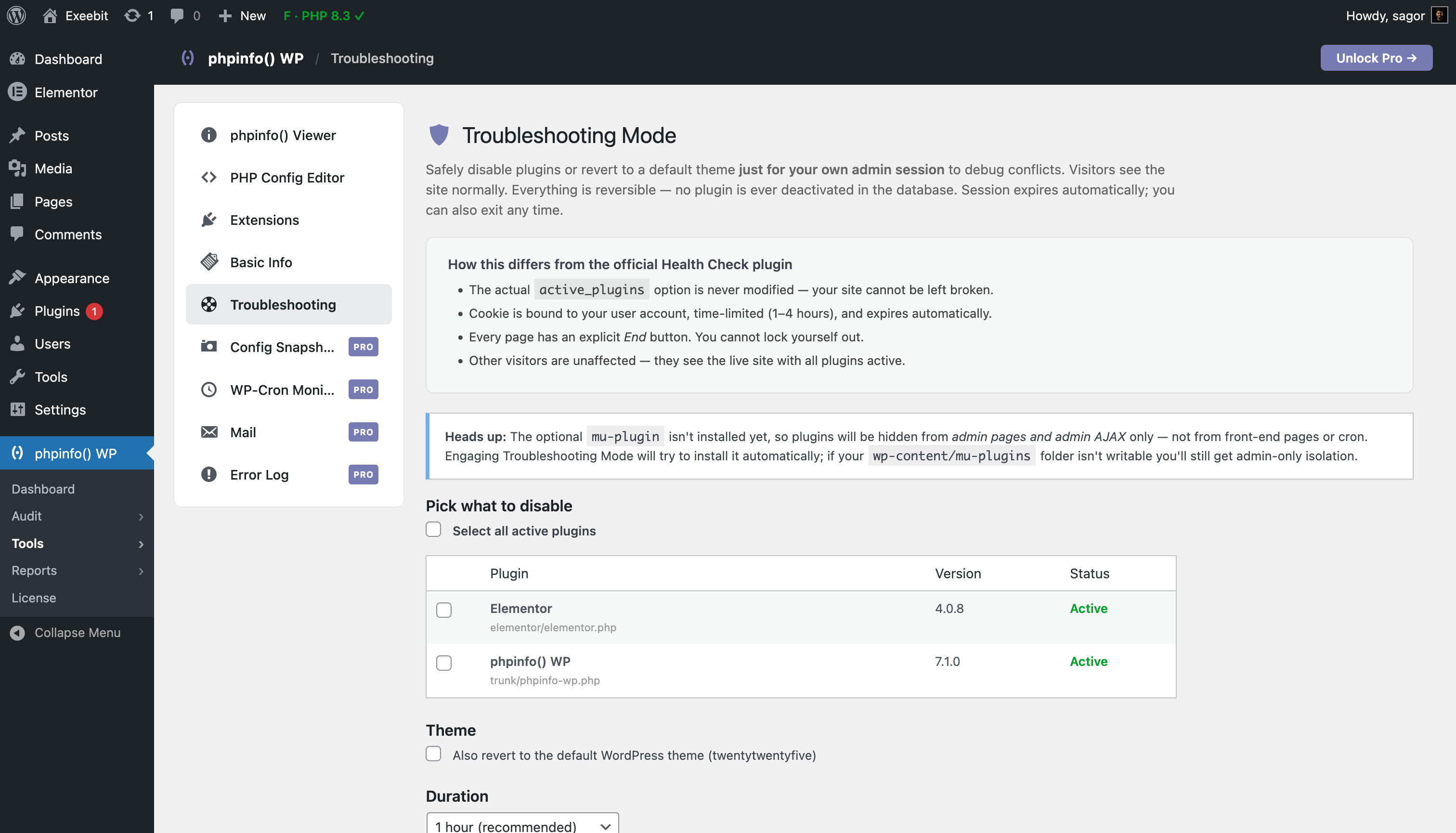
Think of it as the official “Health Check & Troubleshooting” plugin, but built for professional production sites. Our Troubleshooting Mode runs completely in a per-user session. Visitors and clients continue to see the live site normally while you safely debug and isolate conflicts without a single second of downtime.
The free version covers what every WordPress site owner actually needs:
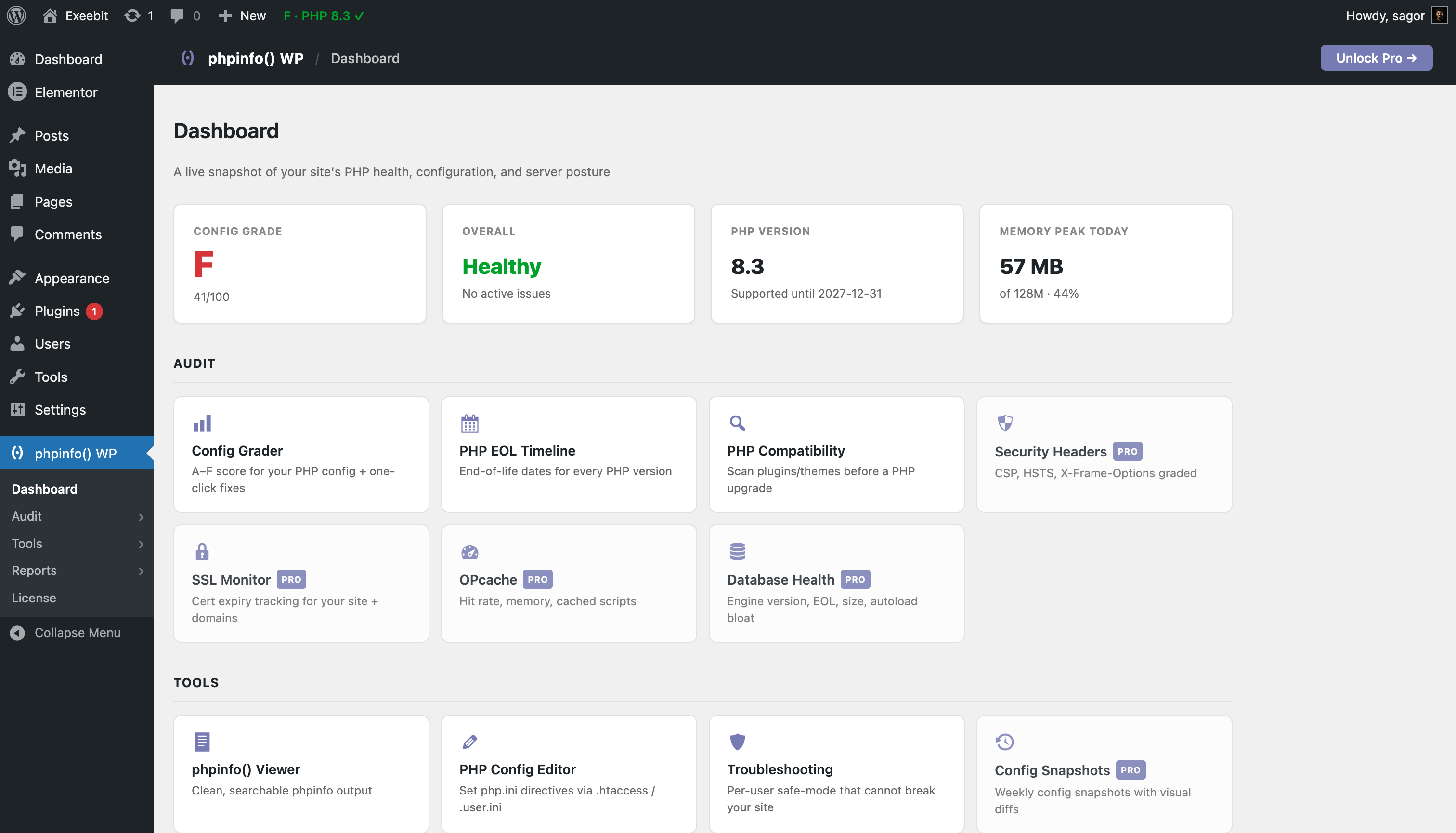
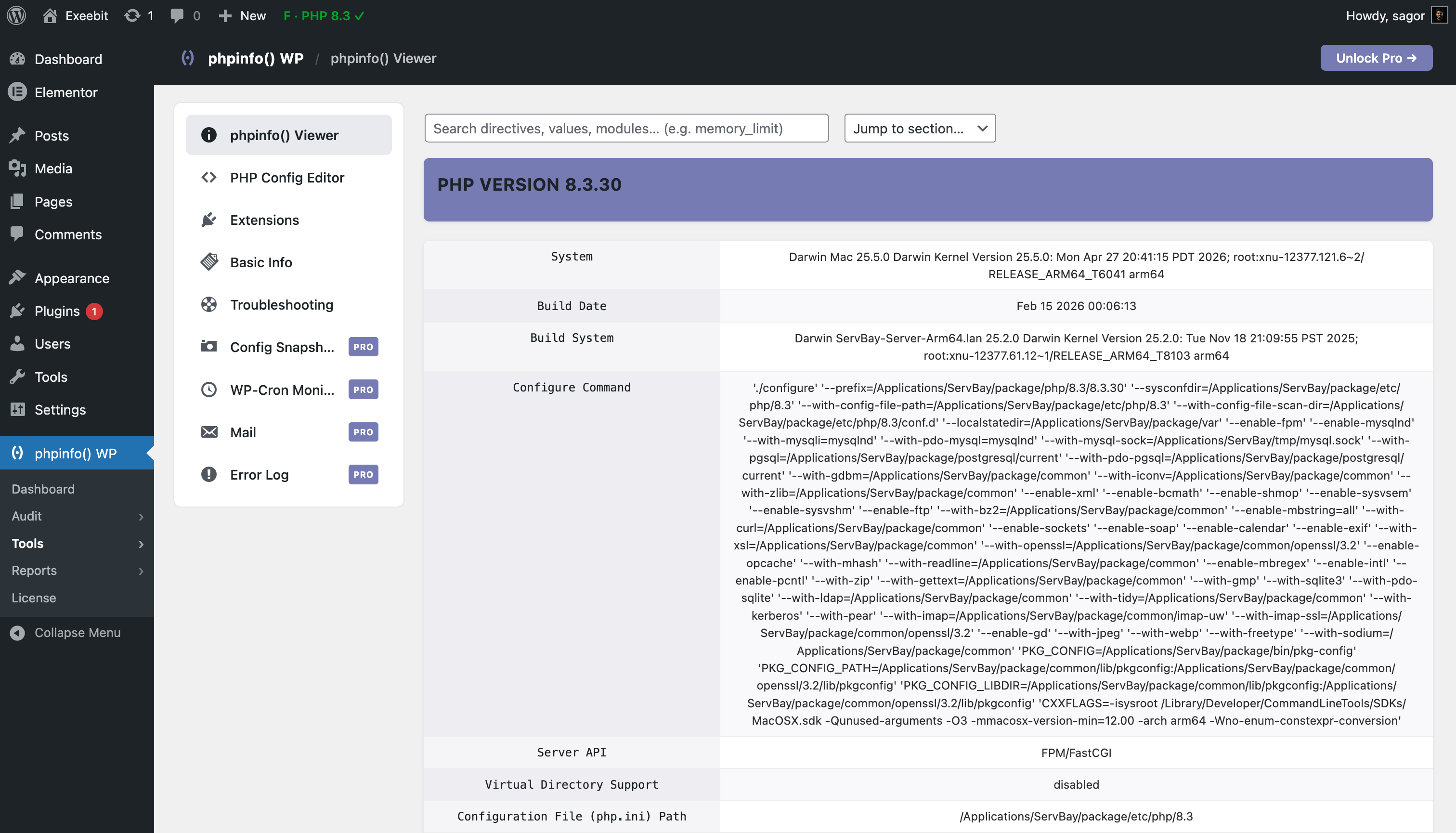
- phpinfo() viewer: Clean, searchable, and modern (the original feature, completely restyled).
- Host-Friendly Compatibility Scanner: Scan all plugins and themes for PHP version conflicts before upgrading, built to work smoothly even on strict managed hosts.
- Update Guard: Preview core upgrade stability. Detect deprecated calls and removed APIs to get a clear Safe, Caution, or Risky rating before clicking update.
- Zero-Downtime Troubleshooting: Safely debug theme and plugin conflicts in your own admin session without affecting visitors or live sales.
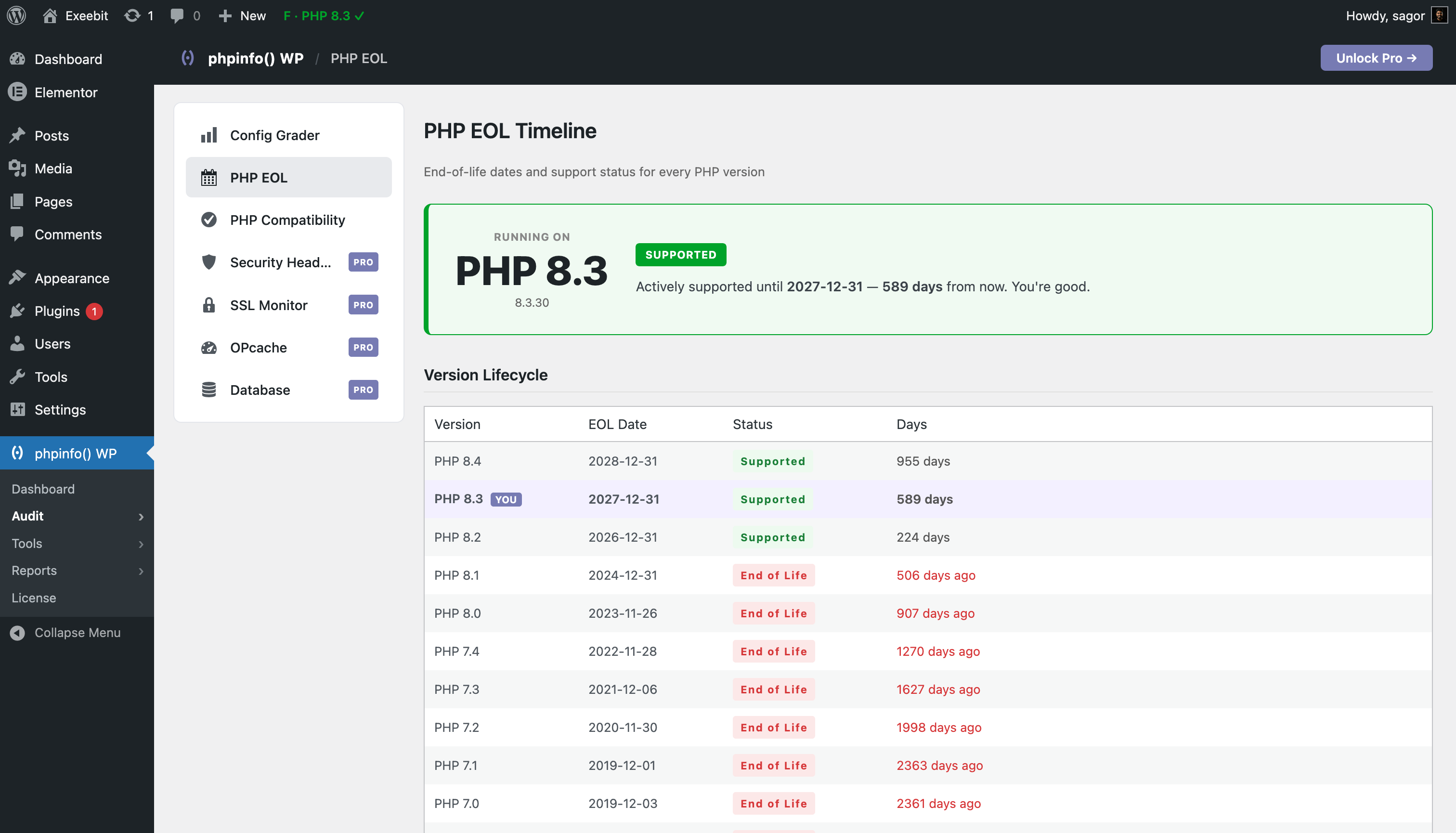
- PHP EOL Timeline: Every PHP version’s end-of-life date, current status, and days remaining.
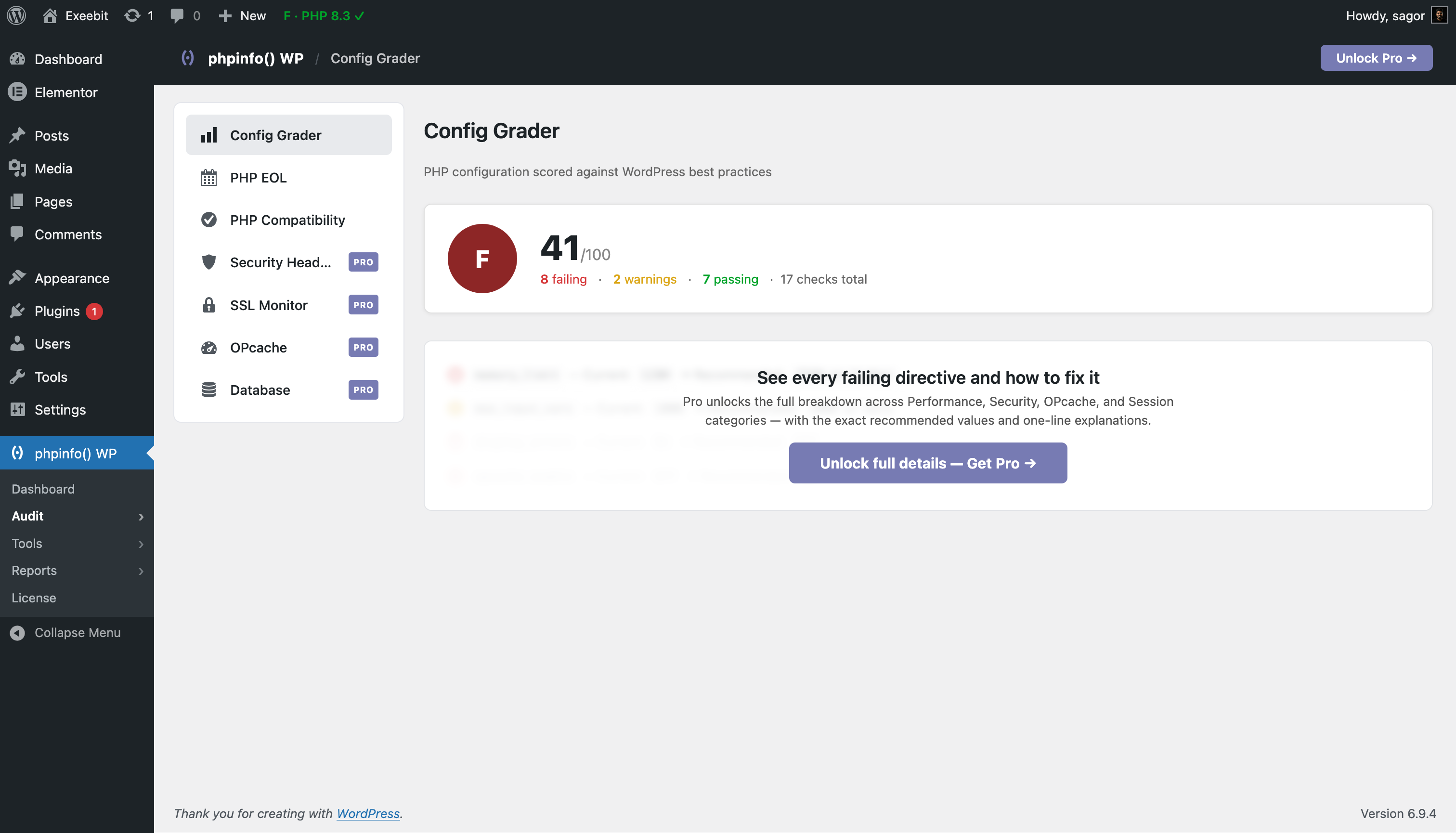
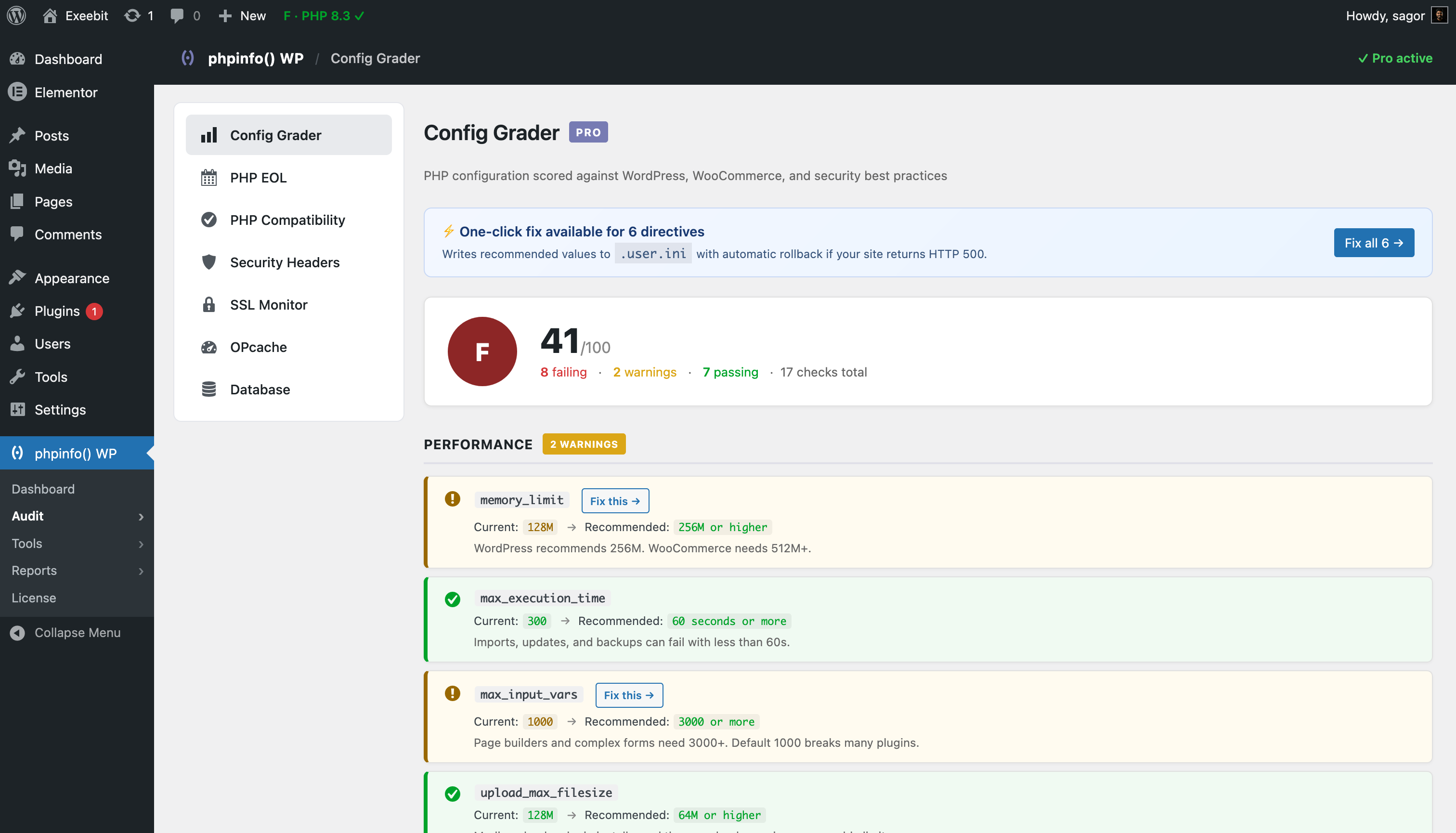
- Config Grader summary: Overall A-F grade of your PHP config against WordPress best practices.
- PHP Config editor (.htaccess / .user.ini): Set or change php.ini directives safely from your dashboard, with automatic backups and safety rollback.
- Admin bar health scoreboard: Live grade and most-urgent issue on every admin page, like PageSpeed for your server.
- Dashboard widget: Site health at a glance the moment you log in.
- Activity log, Extensions, and Basic info: Everything the original plugin did, completely restyled.
- AI-Ready API (WP 7.0): Exposes audit data so AI assistants and plugins can inspect server health through a standard core interface.
- AI Explanations (WP 7.0): Instantly explain failing checks in plain English using the core AI Client connection.
Pro adds the tooling agencies and serious site owners actually need:
Safeguard: Don’t break your site
- 1-Click Auto-Fix with Rollback: Fix config issues instantly. Writes optimization rules to .htaccess or .user.ini and auto-reverts if the server hits a 500 error.
- Pre-Update PHP check: Scan plugin updates before upgrading to verify they do not require a PHP version you do not have.
- Update Guard Pro: Automatic interception on the WordPress Updates page, tested-up-to alerts, abandonment alerts, AI-written remediation steps, and full line-by-line inspection.
- Config Snapshots: Weekly automatic snapshots of every php.ini directive, with visual diffs.
- Security Headers Auditor: Grade your HTTP response headers (CSP, HSTS, X-Frame-Options) with fix suggestions.
- Web Server Snippet Library: Optimized Nginx and Apache configuration blocks for caching, security, and bad bot blocking, with 1-click injection for Apache and LiteSpeed.
- SSL Certificate Monitor: Track certificate expiry and domain mismatches to avoid security warnings.
Insight: Know what is wrong before clients call
- Full Config Grader: Detailed grading with the exact recommended values and why each directive matters.
- Database Health: Engine version, EOL status, size, and autoload bloat detection.
- OPcache Dashboard: Hit rate, memory usage, cached scripts, and one-click OPcache clearing.
- PHP Error Log Viewer: Browse, search, and clear your PHP error log directly from the dashboard.
- WP Cron Monitor: Find overdue events, orphan hooks, and recently-run cron tasks.
- Outbound API Latency Tracker: Pinpoint slow third-party connections (payment gateways, CRMs, webhooks) that bottleneck page load times.
- Mail Deliverability: Send-test, SPF and DKIM validation.
Deliver: Look professional to clients
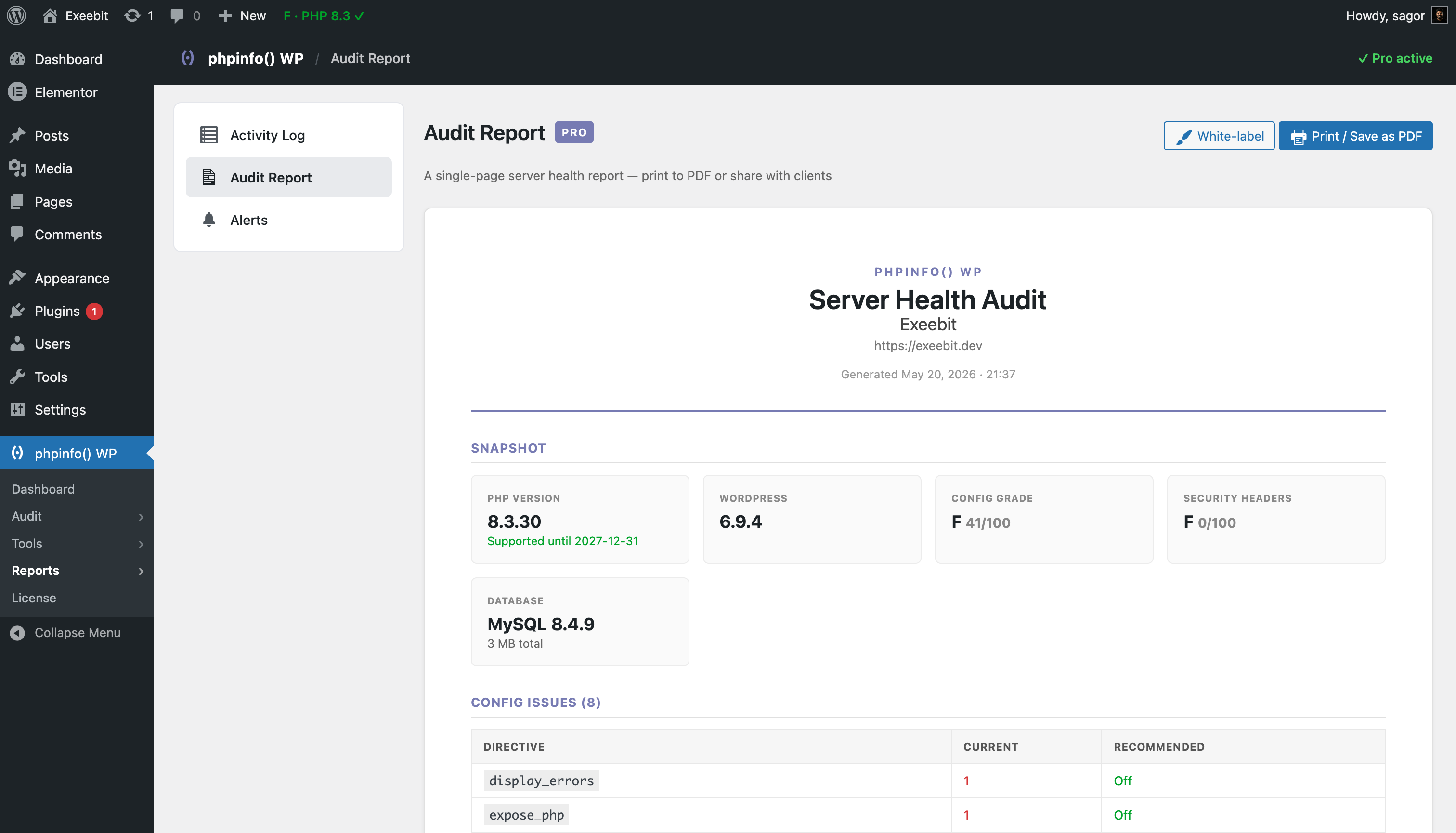
- Audit Report: Single-page PDF audit report to hand to clients (fully white-labeled on Unlimited or Lifetime, branded on Single).
- Email Alerts: Get notified on PHP EOL, config drift, OPcache drops, and SSL expiry.
- Weekly Digest: Full server health summary delivered to your inbox every Monday (Unlimited or Lifetime).
- Integrations: Slack, Discord, and Webhook support for real-time alerts (Unlimited or Lifetime).
- Multi-Site Dashboard: Network-wide dashboard widget support on every subsite.
Why use this instead of 5 different plugins?
Most WordPress site health tools force you to install separate plugins for PHP compatibility, SSL monitoring, security headers, OPcache, error logs, cron, and reports. Each one is another plugin to update, another menu item, and another set of options.
phpinfo() WP gives you one in-admin plugin that covers all of it, with a single dashboard widget and a single PDF audit report. No external SaaS dashboard, no per-site monthly fees, and no separate logins.
Pricing
- Single Site: $29/year (1 site, essential Pro features, branded PDF, 3 snapshots, 1 API monitor)
- Unlimited Sites: $69/year (the popular pick, works on every site, fully white-labeled, unlimited snapshots and API monitors)
- Lifetime: $149 once (founders pricing, first 50 buyers, unlimited sites, fully white-labeled)
14-day money-back guarantee. Instant license delivery. Site-locked license keys.
Buy at exeebit.com/phpinfo-wp.
Capturas
Instalación
- Install from your WordPress admin: Plugins -> Add New and search for “phpinfo() WP”.
- Activate.
- Find the phpinfo() WP menu in your admin sidebar.
- (Optional) Purchase a Pro license and activate it from phpinfo() WP -> License.
You can also download the zip and upload it from Plugins -> Add New -> Upload Plugin.
Server requirements
- PHP 7.3 or higher. PHP 7.4 reached end-of-life in November 2022 and is no longer supported.
- WordPress 5.9 or higher.
- Some PHP functions used by the plugin may be disabled by your host. Contact your host if features show as unavailable.
- For .htaccess editing, your site root must be writable.
FAQ
-
Is the free version still free?
-
Yes. The free phpinfo viewer, .htaccess editor, extension list, activity log, PHP EOL Timeline, and Config Grader summary are 100% free and always will be. Pro is an optional upgrade for agencies and serious site owners.
-
Does the Pro version send my data anywhere?
-
No. All audits run on your own server. The Pro license check pings our license server once per week to confirm your key is still valid, and nothing else is transmitted.
-
Can I use one license on multiple sites?
-
The Single Site license works on 1 site. The Unlimited license works on every site you own or manage. The Lifetime license is also unlimited.
-
How does white-label work?
-
In the Pro Audit Report page, click White-label to set your company name, report title, accent color, and footer note. The PDF you generate uses your branding, not ours.
-
What if my license server is unreachable?
-
The plugin works fine for 14 days even if our license server is unreachable. After that, Pro features lock and you will need to re-activate the license. You will get a clear notice well before that happens.
-
Will this slow down my site?
-
No. All checks run inside the admin dashboard only, and there is zero impact on your front-end performance. Heavy checks (security headers, SSL) are cached.
-
How is this different from Health Check & Troubleshooting?
-
Health Check & Troubleshooting is the official WordPress.org plugin for this kind of work and is a solid tool. Its Troubleshooting Mode is site-wide. When enabled, every visitor sees the default theme with your plugins deactivated until you disable the mode via a one-click link in the admin bar.
phpinfo() WP takes a different approach. Our Troubleshooting Mode is per-user: only your current admin session sees deactivated plugins and the default theme. Every other visitor and admin keeps seeing the live site as normal. That is the design choice we made for debugging plugin conflicts on busy production sites, such as a live WooCommerce store or a high-traffic publisher, where taking the front-end offline is not an option.
We also add features Health Check does not offer: PHP EOL tracking, A-F config grading with one-click fixes (Pro), an admin-bar health scoreboard, SSL/headers monitoring, and a client-ready PDF audit report.
Use Health Check if you want the official tool with a simple, site-wide debug mode. Use phpinfo() WP if you need a per-user debug session on a live site, plus the broader audit suite.
-
How is this different from Query Monitor / WP Umbrella?
-
Query Monitor is a developer tool for debugging individual page loads, which is a different job. WP Umbrella, ManageWP, and MainWP are external SaaS dashboards that bill per site, per month, which is useful for agencies that want everything in one external console.
phpinfo() WP Pro is for the site owner or freelancer who wants one in-admin tool that covers PHP health, config, security headers, SSL, and a client-ready audit report, without a monthly SaaS subscription and without leaving the WordPress admin.
-
Does this PHP compatibility scanner actually work on my managed host?
-
Yes. Unlike scanners that rely on PHP_CodeSniffer or the
exec()function, our scanner uses static analysis that runs inside WordPress itself. It works on Kinsta, WP Engine, SiteGround, Cloudways, Pantheon, and every other managed host that restricts shell access. -
Where do I get support?
-
- Free: WordPress.org support forum.
- Pro: email support@exeebit.com with your license key for priority response.
Reseñas


Colaboradores y desarrolladores
«phpinfo() WP – Site Health, PHP Compatibility & Server Audit» es un software de código abierto. Las siguientes personas han colaborado con este plugin.
Colaboradores
Traduce «phpinfo() WP – Site Health, PHP Compatibility & Server Audit» a tu idioma.
¿Interesado en el desarrollo?
Revisa el código , echa un vistazo al repositorio SVN o suscríbete al registro de desarrollo por RSS.
Registro de cambios
7.2.4
- NEW: Complete visual plugin localization and translation files for French, German, Spanish, Italian, and Dutch.
- Improved: Optimized server EOL lifecycle gauges and HTTP header audits.
7.2.3
- Pro: Aligned Single Site plan feature restrictions with pricing tier limits. Capped Outbound API Monitors at 1, Config Snapshots at 3, locked Slack/Discord webhooks and Weekly digests, and set PDF audit reports to default branded styling.
- Pro: Added license grandfathering to ensure existing Single Site license holders retain unlimited access to all features.
- Improved: Standardized and optimized CSS layout margins and vertical padding on the landing page for visual consistency across desktop and mobile screens.