
Descripción
WP Data Access transforms your WordPress site into a platform for building data-driven applications — without writing a single line of code.
With the intuitive App Builder, you can create:
- Interactive Data Tables – manage and display data with ease
- Custom Data Forms – collect and process input seamlessly
- Charts, Maps & Dashboards – visualize data beautifully
- Role-Based Access – control who can view or manage your data
- Multilingual Support – 35+ languages ready to use
WP Data Access is designed as a true no-code builder: everything works out of the box, intuitive and effortless. For those who want more, a full set of developer hooks makes it possible to fine-tune behavior, extend functionality, or integrate with custom workflows. Hooks are completely optional and invisible to no-code users, but a powerful bonus for developers.
App Builder ❤️
The ultimate data-driven Rapid Application Development tool. Build dynamic, interactive apps in minutes with Builders, Managers, and Wizards — all fully customizable with Hooks.
* Build dynamic, data-driven apps for both front-end and back-end 📱
* Connect to local and remote databases ⚡
* Real-time build and run capabilities 💻
* Run apps in 35+ languages to reach a global audience 🌍
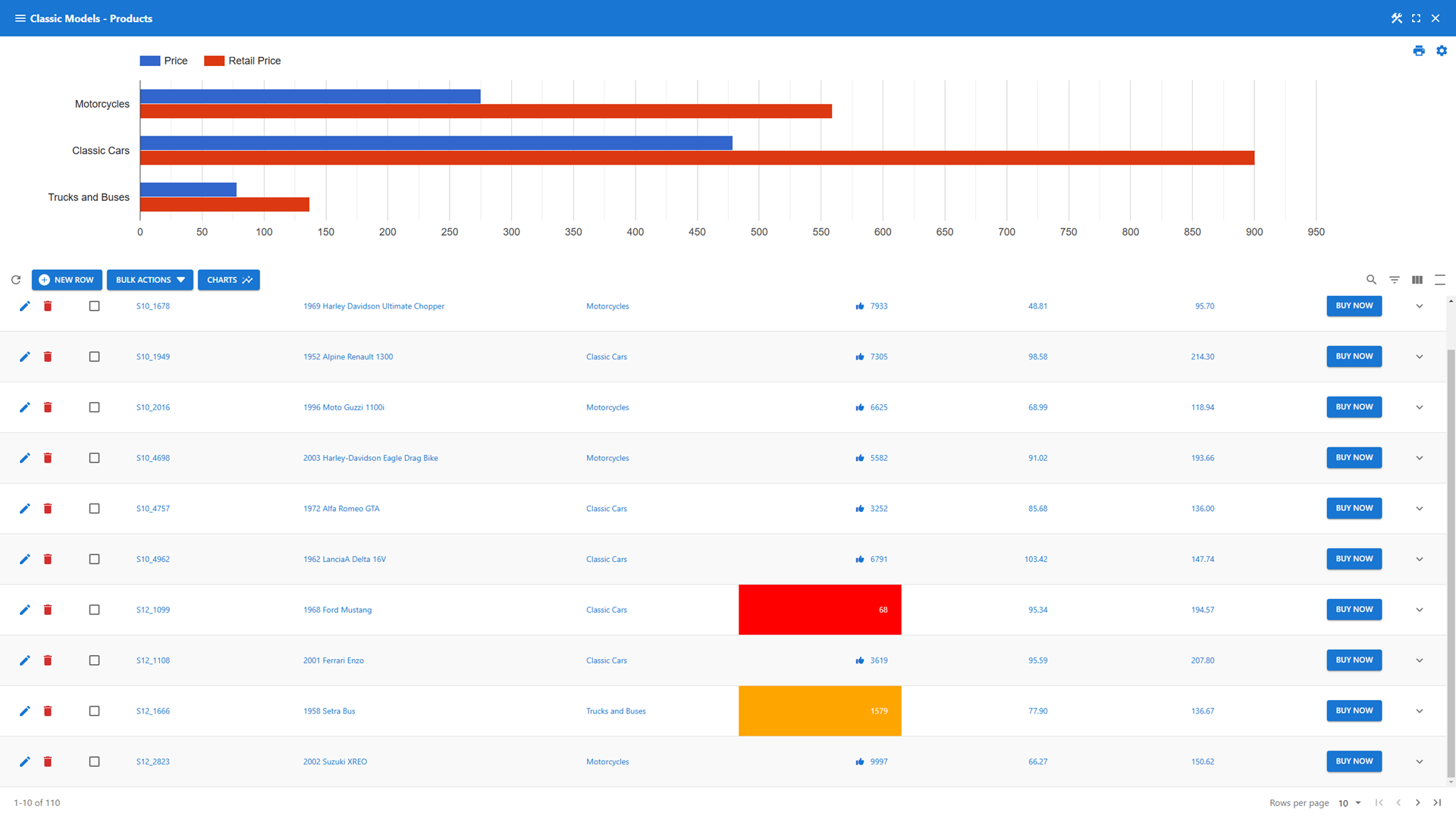
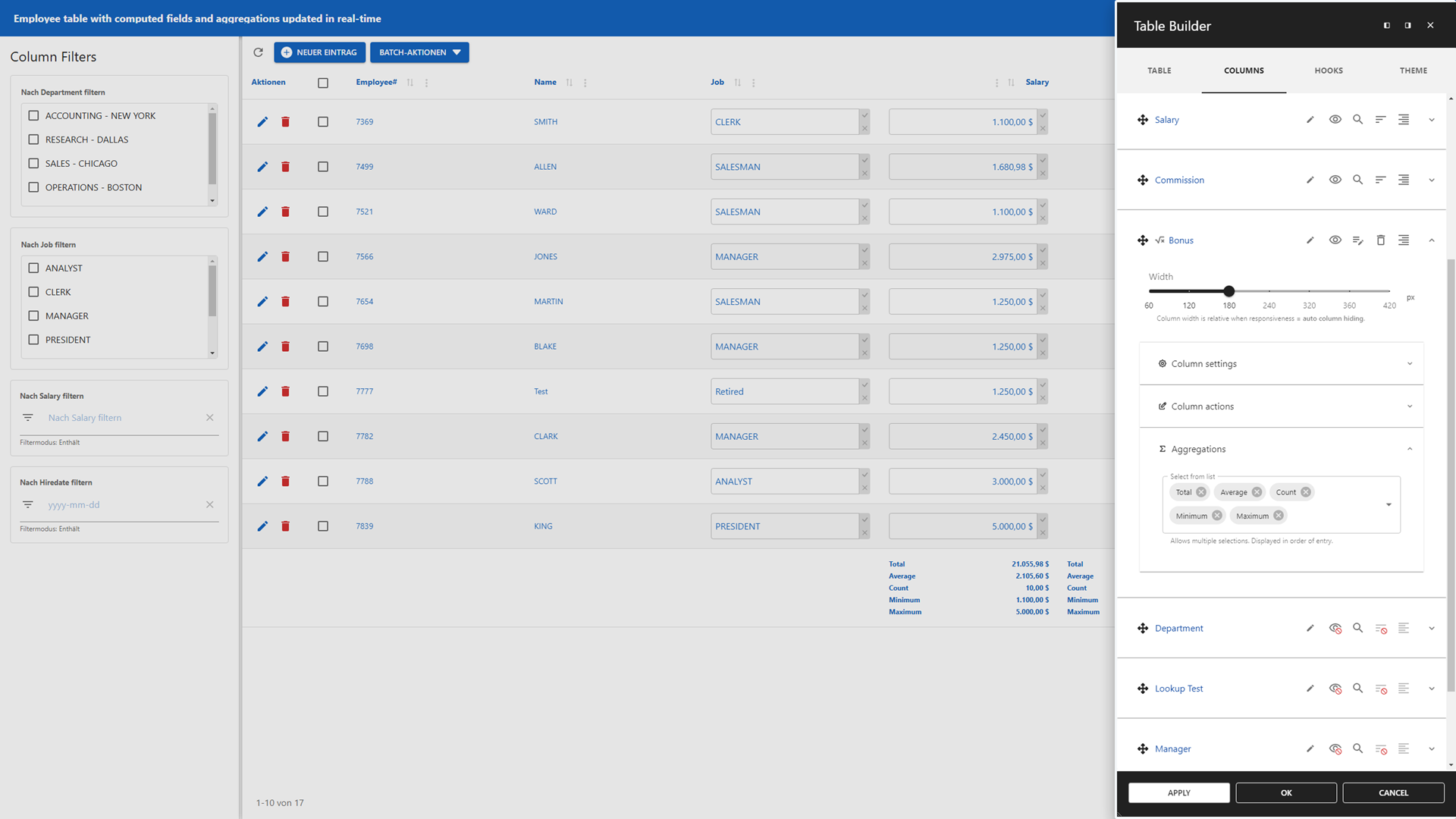
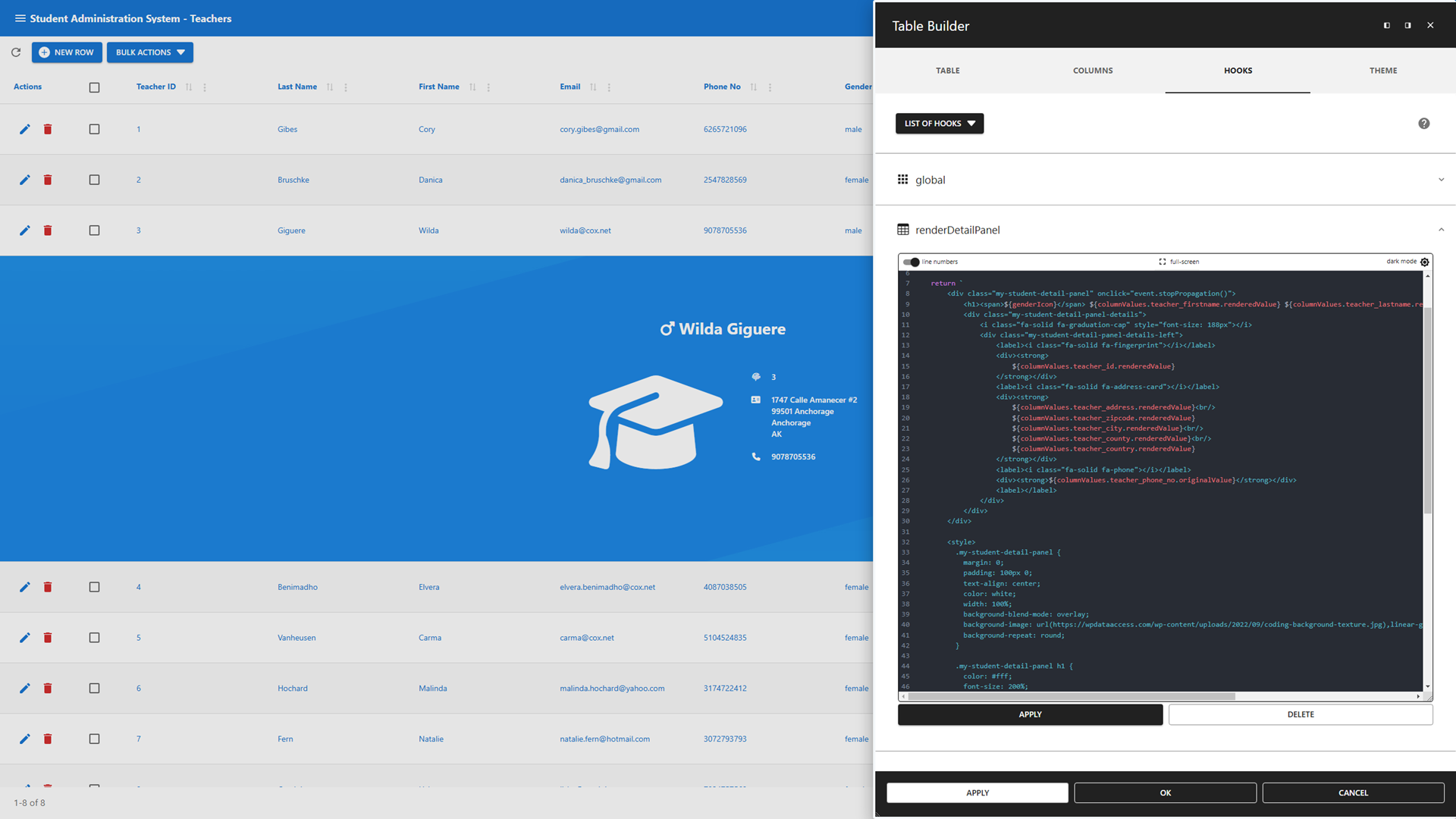
- Table Builder – Create powerful, interactive data tables effortlessly
- Add static and dynamic data table filtering options 🔍
- Real-time computed fields and aggregations for instant insights 📈
- A Lookup Wizard to add lookups to your data table 🧙
- Inline editing for instant updates 📝
- Integrates with the WordPress media library for rich content 📷🎞
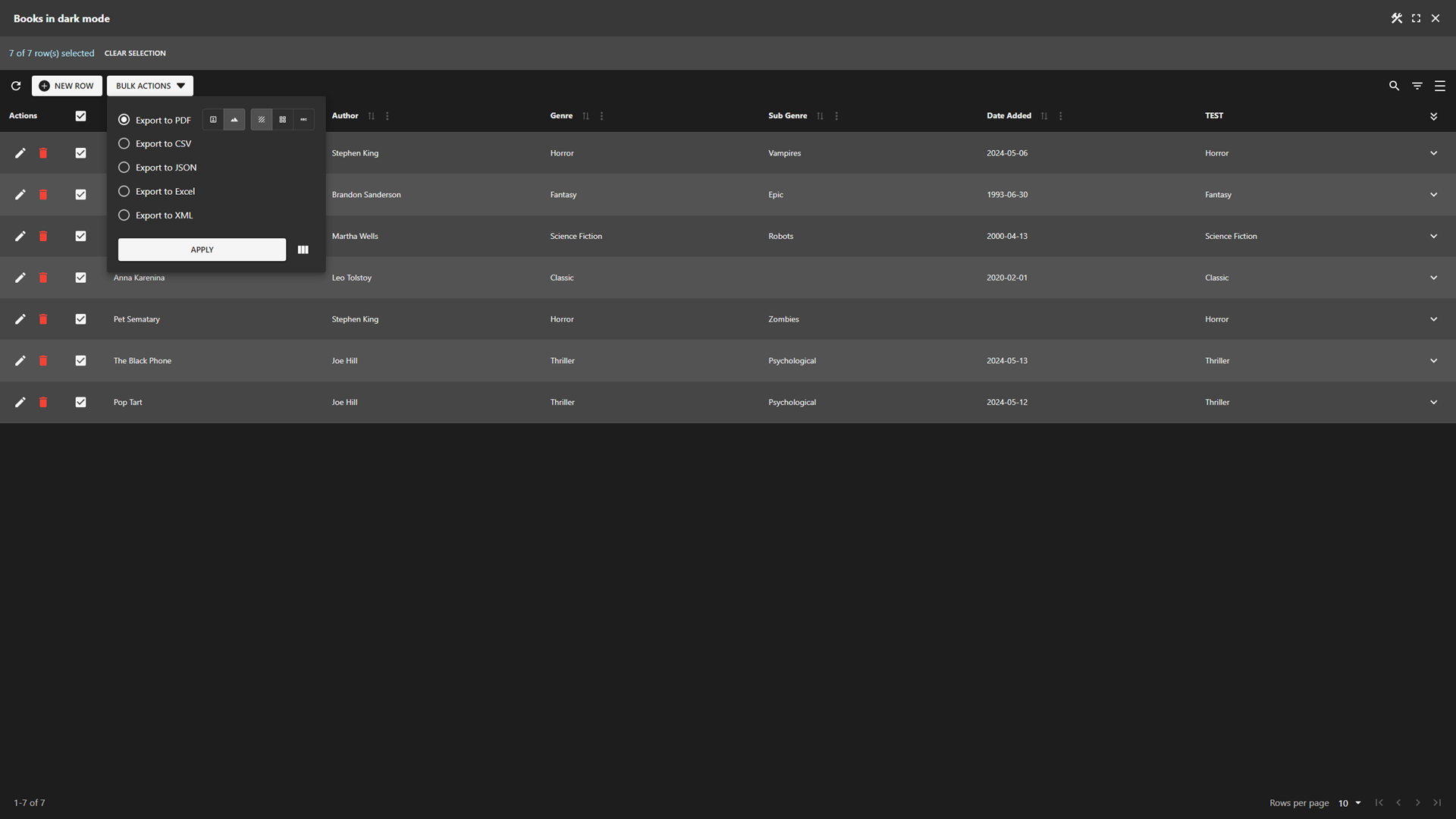
- Export data tables to PDF, CSV, JSON, XML, SQL, and Excel 📄
- Add charts and maps to your data table header and footer 📊
- JavaScript hooks to customize data table layout and behavior 🔧
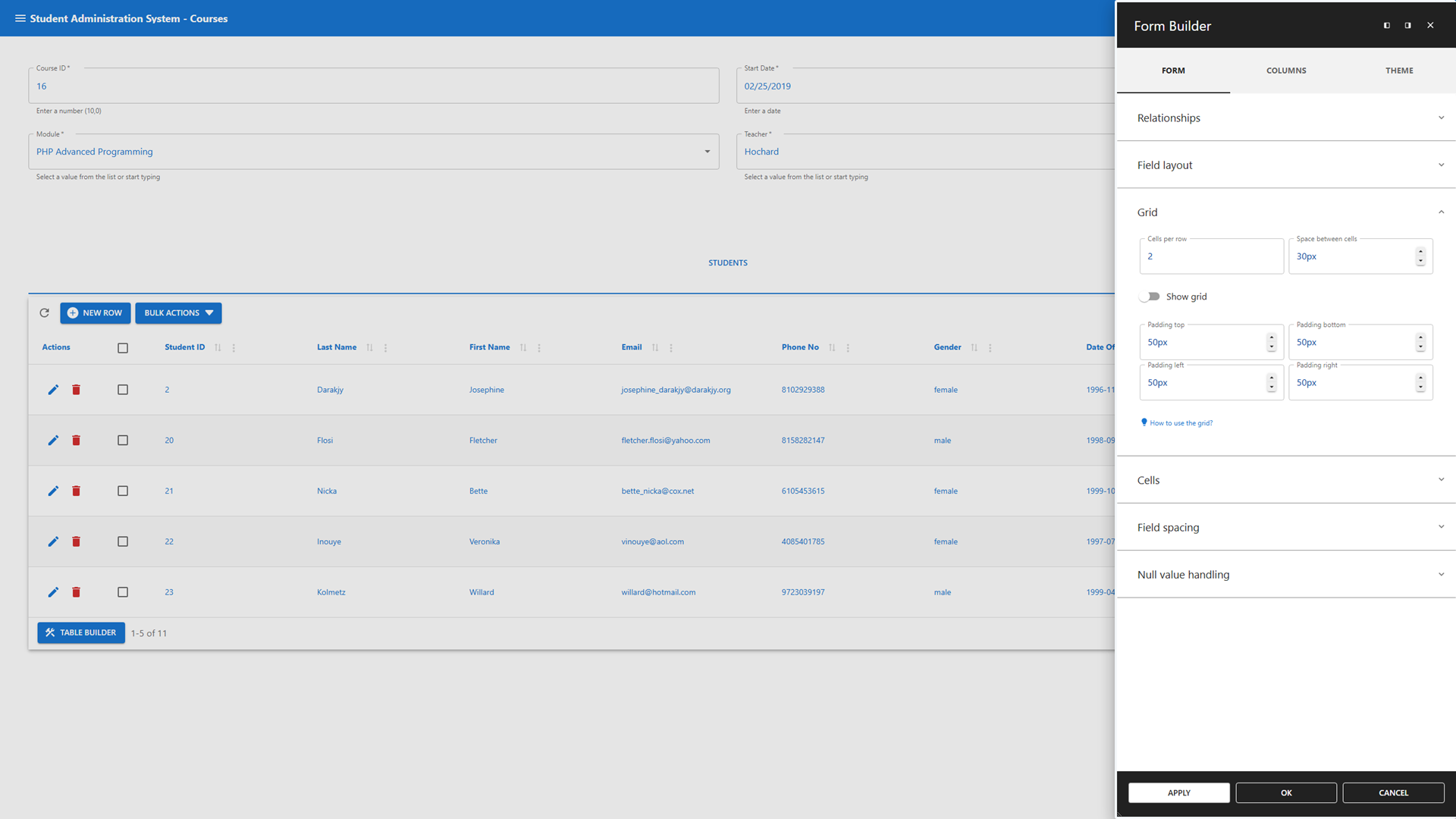
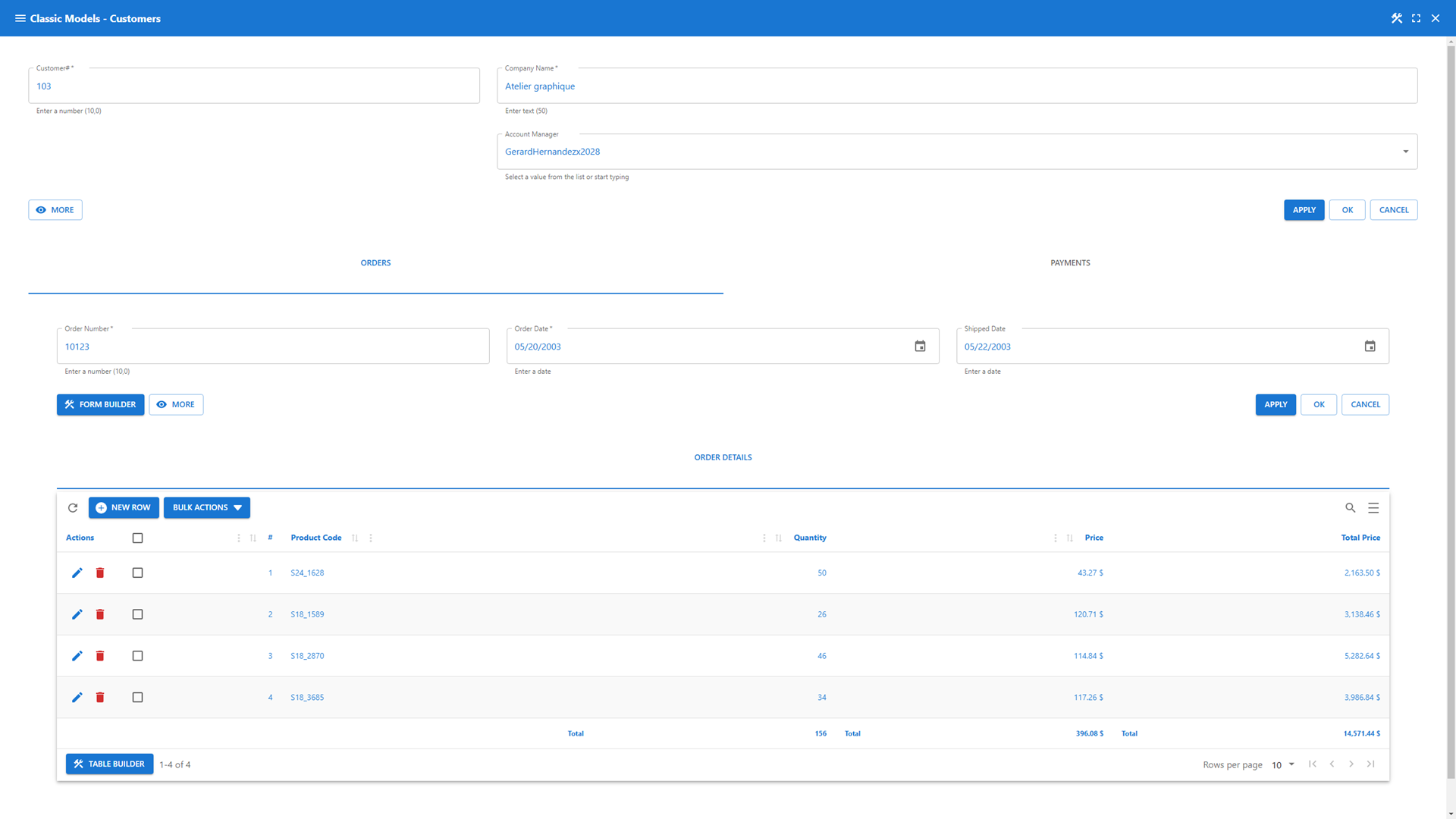
- Form Builder – Design forms that adapt to your workflow
- Grid-based layouts for precise control ➕➖
- Master-detail relationships for multi-level data structures 🔄
- Lookup and Computed Field Wizards to add functionality instantly 🧙
- Interactive client-side validations tied to your database constraints ✅
- Full access to the WordPress media library 📷🎞
- JavaScript hooks to customize business rules, validations and layout 🔧
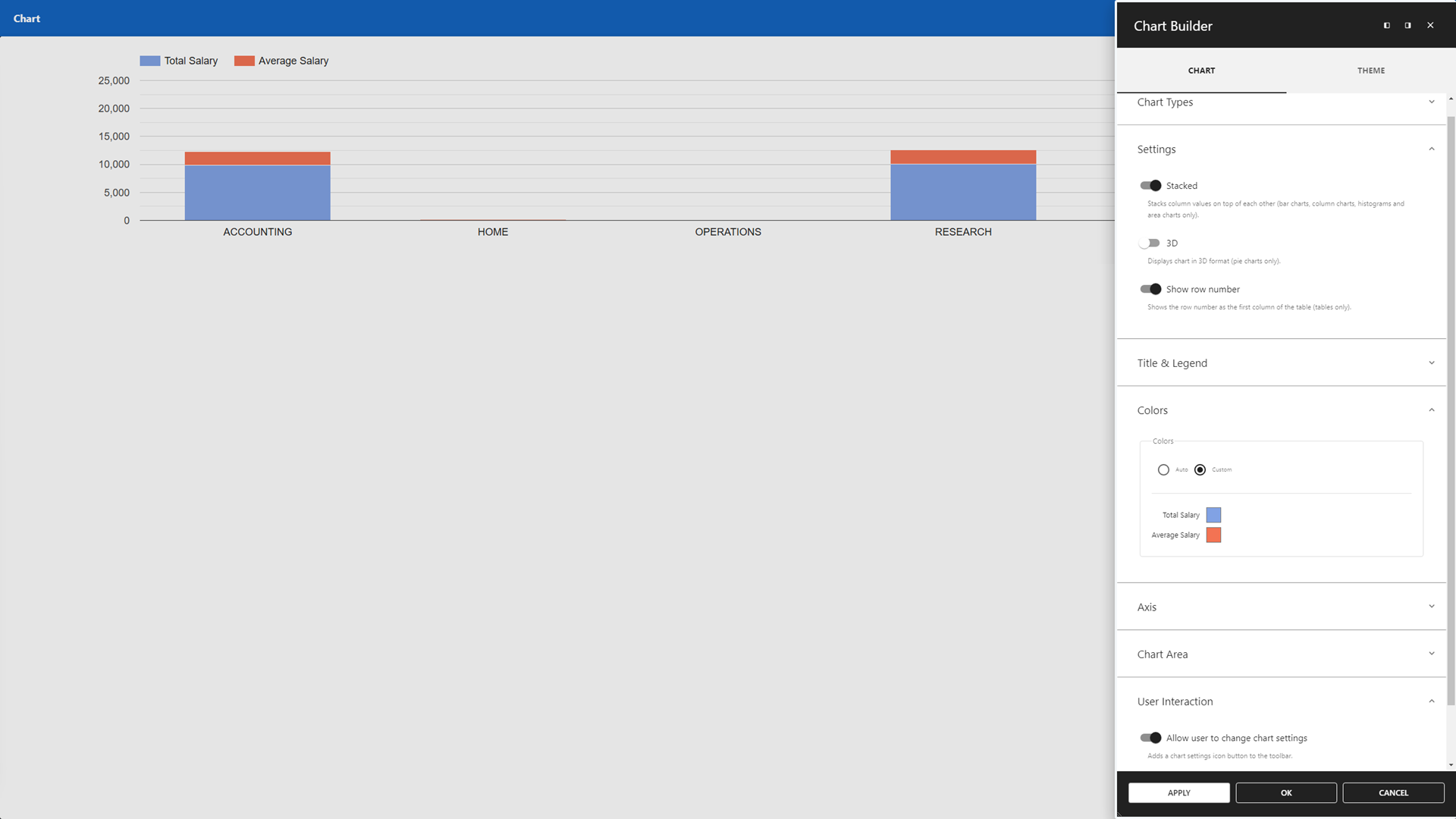
- Chart Builder – Transform your data into visual insights
- Google Charts integration 📊
- Create charts from SQL queries 📑
- Interactively adjustable chart configurations ✔
- Print/export charts 🖨📄
- Map Builder – Visualize your data geographically
- Google Maps integration for location-based apps 🌎
- Query-driven location visualizations 📍
- Interactively adjustable search radius 🔍
- Customizable marker content and layout 📌
- Dashboard Builder – Centralize insights with customizable widgets
- Combine all app types into cohesive dashboards ✅
- Customize dashboard layouts with flexible positioning and sizing ➕➖
- Customizable widgets presenting dynamic and static data
- Mix real-time data with fixed information for comprehensive overviews 📊
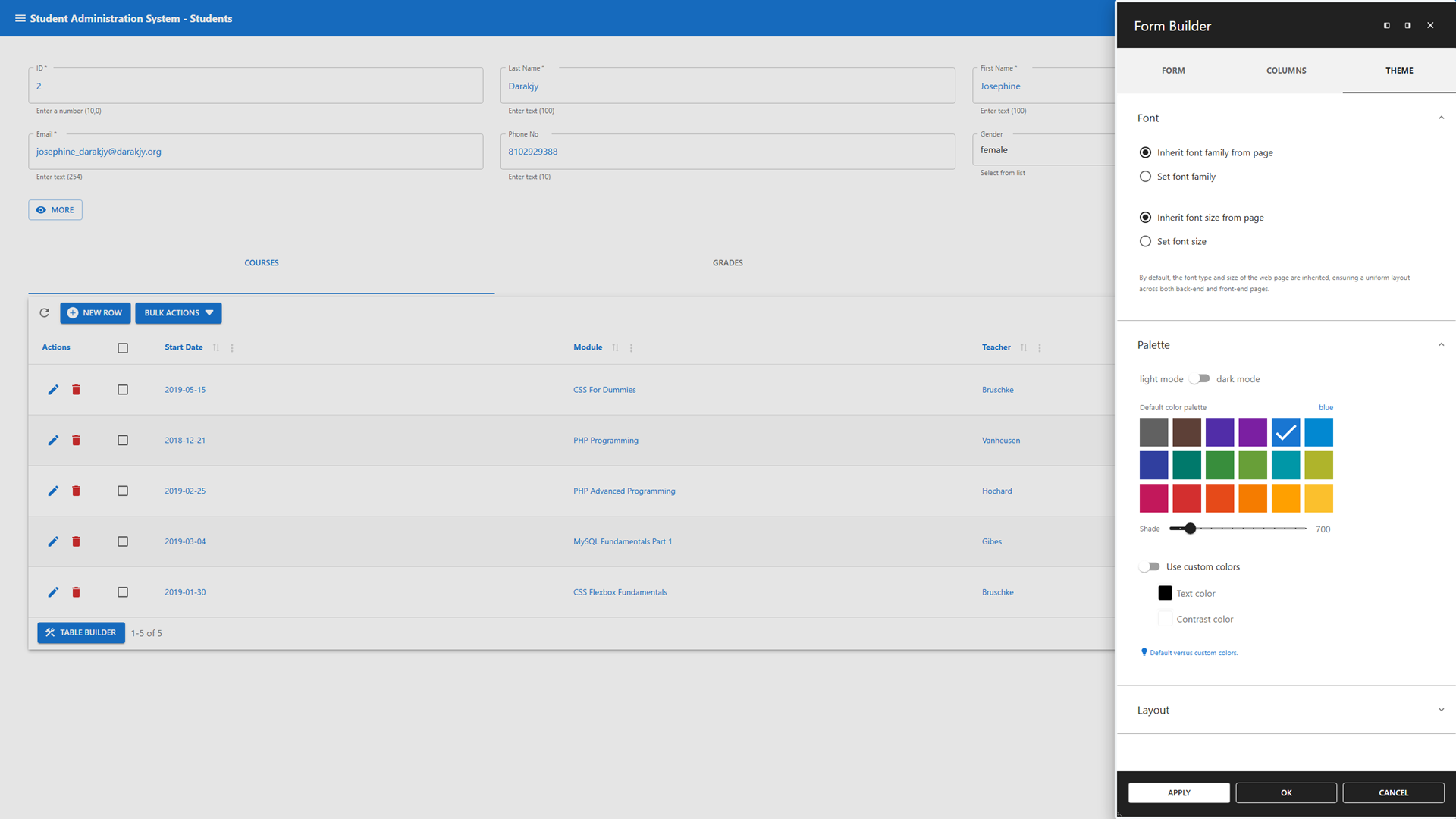
- Theme Builder – Make your app truly yours
- Personalize your app’s appearance with ease 🎨
- App Manager – Control your apps with confidence
- Authorization management based on WordPress user and role principles 🔒
- Add apps to back-end menus or front-end pages via shortcodes 🔽🌐
- Safe mode to temporarily disable hooks without breaking functionality 🔧
SQL Query Builder
Run and schedule SQL queries effortlessly from your WordPress dashboard.
- Schedule queries to run automatically at defined intervals 🕝
- Run batch jobs for automated data exchange across multiple databases 🤝
- AI Assistant to generate queries and fix common errors 🤖
- Tabbed interface for running multiple queries in parallel ▶
- Save and reuse queries – privately or globally 🔄
- Built-in safeguards to protect core WordPress tables and ensure data integrity 🔒
- Visual Query Builder to create complex queries without writing SQL 🎨
Data Explorer
Take full control of your data with a GUI-driven interface.
- Manage local and remote data 🗺
- Perform global search and replace across multiple databases and tables 🔍
- Import SQL and CSV files, with ZIP support for handling large datasets 📄
- Export data in various formats, including SQL, CSV, JSON, and XML 📄
- Rename, copy, truncate, drop, optimize, or alter tables 👤
- Advanced table and column options, such as geolocation, and enhanced search ✔
Premium Data Services
Connect, sync, and manage remote databases and data files.
- Compatible with all plugin features ✅
- Premium Remote Connection Wizard 🧙
- Remote Databases: Connect to SQL Server, Oracle, PostgreSQL, MariaDB, MySQL, and MS Access (file-based) 💻
- Remote Data Files: Sync with CSV, JSON, and XML files for dynamic updates (e.g., Google Sheets sync) 📄
Legacy Tools
Will be replaced by the App Builder.
- Featuring
- Data Tables 🔍 – Replace with Data Table app.
- Data Forms ✅ – Replace with Data Management app or Registration Form.
- Maps 🌎 – Replace with Map app.
- Charts 📊 – Replace with Chart app.
- Dashboards 🎛️ – Replace with Dashboard app.
- Use to maintain old solutions 🙏
- Use App Builder for new projects 🚀
- You can continue to use the legacy tools by staying on the latest Version 5.x (Read more )
Useful Links
Capturas

Bloques
Este plugin proporciona 1 bloque.
- WP Data Access App Add an app to this page.
Instalación
(1) Upload the WP Data Access plugin to your WordPress site (2) Activate the plugin (3) Navigate to the WP Data Access menu
And you’re all set! 🚀
Reseñas


Colaboradores y desarrolladores
«WP Data Access – App Builder for Tables, Forms, Charts, Maps & Dashboards» es un software de código abierto. Las siguientes personas han colaborado con este plugin.
Colaboradores


«WP Data Access – App Builder for Tables, Forms, Charts, Maps & Dashboards» ha sido traducido a 1 idioma local. Gracias a los traductores por sus contribuciones.
Traduce «WP Data Access – App Builder for Tables, Forms, Charts, Maps & Dashboards» a tu idioma.
¿Interesado en el desarrollo?
Revisa el código , echa un vistazo al repositorio SVN o suscríbete al registro de desarrollo por RSS.
Registro de cambios
5.5.80
- Released 2026-08-06
- Added: Progressive web apps
- Fixed: Escaped titles and links in table output and shortcode
- Fixed: Hide inline editing feature when update is not allowed
- Fixed: Table incorrectly styled after abandoning card view
5.5.79
- Released 2026-07-29
- Added: Legacy tools message (widget and notice)
- Added: Network errors to app messages for improved troubleshooting
- Fixed: Cannot disable global filter for columns with client-side processing
- Fixed: Client-side cascading column filter count
- Fixed: Styling issues with column filter popup
- Fixed: Client-side drop-down column filters not showing alternative values
- Fixed: Clicking the create table design icon returns unauthorized
- Fixed: Button style overwritten by theme CSS
- Extended nonce action (Farid)
5.5.77
- Released 2026-07-17
- Added: Gutenberg block support for [wpda_app] shortcode
- Added: Display multiple cards per row
- Added: Missing parameters for shortcode generation
- Added: Check for unsaved changes in Visual Query Builder on close
- Changed: Inline editing now requires update enabled (use option “hide edit icon”)
- Changed: Cascading column filter behavior
- Fixed: Cascading column filters with client-side processing
- Fixed: CSV import button icons alignment
- Fixed: Lazy loaded lookups not rerendering when open
- Fixed: Visual Query conversion
- Fixed: Visual Query Builder column row layout
- Fixed: Visual Query Builder alias not editable
- Fixed: Visual Query Builder missing plus icon button
- CSS Table Editor now available to free users
- Added css class pp-table-detail-panel-container to detail panel
- Code review
- Extended nonce action
- Updated freemius SDK
5.5.76
- Released 2026-07-07
- Added: Extended pagination button support for all data tables
- Fixed: Column filter popup should only count rows with client-side processing enabled
- Fixed: Update fails after navigating to other row for 1:1 relationships
- Fixed: Last pagination button missing
- Fixed: Search list not updated
- Fixed: Cross-Site Scripting (XSS) vulnerability – patchstack
- Fixed: Function setColumnStyle has no effect on first column
- Fixed: Cascade drop-down lists not taking global filter into account with client-side processing enabled
- Fixed: Cannot position column filters above
- Updated freemius SDK
5.5.75
- Released 2026-06-25
- Added: New Visual Query Builder
- Added: Column filters popup positioning
- Added: Class names to action buttons
- Updated freemius SDK
5.5.74
- Released 2026-05-21
- Fixed: Expand column filters on startup not available for POPUPs
- Fixed: Must manually enable “show column filters in compact mode” for POPUPs
- Fixed: Border between column filters on left to fat
5.5.73
- Released 2026-05-19
- Added: Feedback to compact column filter buttons
- Added: Show column filters in popup
- Added: Single-select search panes
- Added: Selectable plus|min icons for numeric fields
- Added: Disable plus|min icons for numeric fields
- Improved column filters UI
- Improved bulk actions UI
- Optimized column filter handling
- Fixed: Cannot start table with docked chart in fullscreen mode
- Fixed: Search fields containing two clear icon buttons
- Fixed: Highlighting fails for wildcards
- Fixed: Dynamic conditions not available after lookup update
- Fixed: Default column search fails if URL parameter does not exist
- Fixed: Dynamic lookup fails with unequal column names
- Fixed: Column filters not consistently working with async lookups
- Fixed: Cascading search for search boxes
5.5.72
- Released 2026-05-04
- Added: Clear all column filters button to compact vertically placed column filters container
- Added: Automatically open column filter list when user opens a column filter in compact mode
- Added: Multiple calculation types to table chart
- Added: Start app on back-end in fullscreen mode
- Added: Default column filter via URL parameter
- Added: Plus and minus buttons to numeric input fields
- Added: Subtitles to row actions
- Added: Rename translation
- Fixed: Column filters interfering on tabs
- Fixed: Actions column too wide when bulk actions enabled and row actions disabled
- Fixed: Removed disabled fields from chart popup (free version only)
- Fixed: Resize chart when popup is resized (free version only)
- Fixed: Match map and chart popup UIs (free version only)
- Fixed: Chart returns an error when no data found
- Fixed: Rows not exporting the correct rows when selected with Bulk Select after filtering
- Fixed: Table not sorted correctly on lookup column when server-side processing is enabled
- Fixed: Removed “number of decimals displayed” if field has no decimals
- Fixed: Scheduled queries don’t send out attachments if queries are written in uppercase
< 5.5.72
- See changelog.txt